




Trying to pick the right electronic signature software can feel like navigating a maze. While plenty of platforms handle simple signing just fine, the real challenge is finding one that offers robust, industry-specific solutions for complex transactions—think real estate closings or sensitive legal agreements. Getting to the core of these differences is the first step in picking the right tool for the job.
How To Choose Your Ideal eSignature Platform
Selecting the right eSignature software isn't just about getting documents signed. It's an investment in a platform that secures your agreements, guarantees legal compliance, and actually fits into how you already work. The market is exploding, projected to hit USD 67.59 billion by 2032, which tells you just how essential these tools have become. With North America making up roughly 46% of that market, knowing the key players is a must.
This decision is a lot like the foundational choice between custom and off-the-shelf software. It’s a strategic move that affects everything from whether your team will actually use it to how well it can grow with your business down the road.
Core Evaluation Criteria
To cut through the noise, I recommend focusing on three make-or-break pillars that truly separate the good from the great.
- Security and Compliance: Does the platform hold up to serious standards like SOC 2 Type 2, MISMO for real estate, or HIPAA for healthcare? For any regulated industry, this is completely non-negotiable.
- Specialized Features: Do you need more than just a signature line? If you're dealing with notarizations, you should be looking for advanced tools like Remote Online Notarization (RON), In-Person Electronic Notarization (IPEN), and full-blown eClosing suites.
- Integration and API: How smoothly will this software plug into your current setup, like your CRM or document management system? A solid API is what lets you build out custom, automated workflows instead of being stuck with a clunky, one-size-fits-all solution. A flexible eSignature API is what gives you that power.
These three areas are the real differentiators in any electronic signature software comparison.
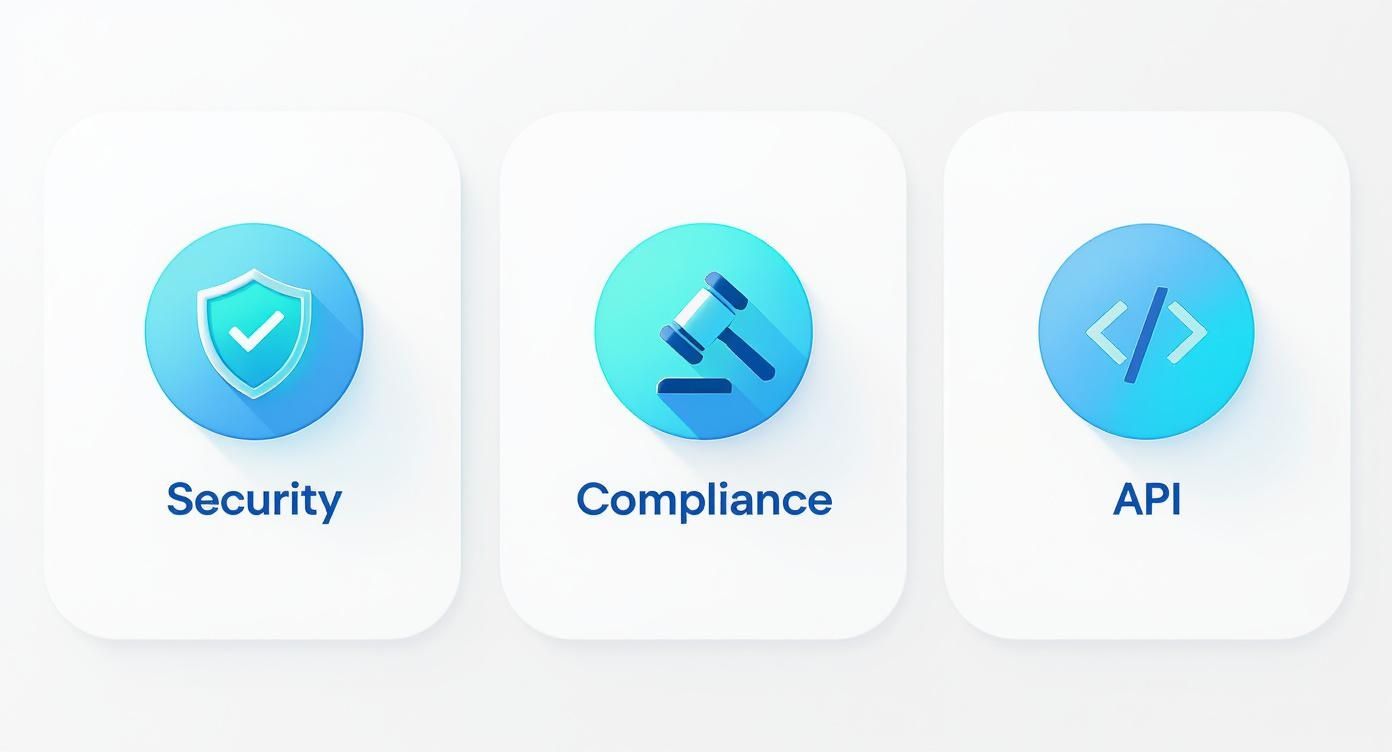
As you can see, a smart evaluation goes way beyond surface-level features. You need to dig into the security protocols, confirm strict regulatory compliance, and understand the technical flexibility you're getting.
To give you a head start, I've put together a quick-glance table comparing the top contenders we’ll be diving into.
High-Level Feature Comparison of Leading eSignature Platforms
This table offers a snapshot of where each platform shines, helping you quickly identify which ones might align best with your priorities before we get into the nitty-gritty details.
| Platform | Best For | Key Compliance | Notarization Focus | API Strength |
|---|---|---|---|---|
| BlueNotary | Secure Online Notarization & eClosings | SOC 2, MISMO, HIPAA | High (RON & IPEN specialist) | Strong |
| DocuSign | Enterprise-Wide General eSignature | SOC 2, HIPAA, 21 CFR Part 11 | Moderate (Add-on) | Very Strong |
| Adobe Sign | Microsoft Ecosystem Integration | SOC 2, HIPAA, FedRAMP | Low (Basic functionality) | Strong |
| Notarize | Enterprise RON & Real Estate | SOC 2, MISMO | High (RON specialist) | Strong |
This summary sets the stage for a much deeper analysis of what each platform really brings to the table and for whom they are the best fit.
A Deep Dive Into Security and Compliance Frameworks
When you're comparing electronic signature platforms, security isn't just another feature on a checklist—it's the entire foundation of trust. Without ironclad security and verifiable compliance, a digital signature is just pixels on a screen. This is especially true in high-stakes industries like real estate, law, and healthcare, where one slip-up can snowball into serious legal and financial trouble.
The best platforms don't just talk about encryption; they prove their security through tough, third-party audits. These frameworks guarantee that every single step of the signing process, from verifying someone's identity to creating the final audit trail, is locked down against tampering and fraud. If your business deals with sensitive agreements, getting a handle on these standards is non-negotiable.

SOC 2 Type 2: The Gold Standard
A SOC 2 Type 2 certification is one of the most important benchmarks you can look for in a software provider. Think of it less like a one-time exam and more like an ongoing audit. It confirms that a company has established—and consistently follows—strict information security procedures over a significant period, usually six months or more.
This certification looks at a platform's controls for security, availability, processing integrity, confidentiality, and privacy. It's one thing for a company to claim it's secure; a SOC 2 Type 2 report is the tangible proof that their systems are built to guard your data against breaches and system failures. Both BlueNotary and DocuSign make their SOC 2 compliance a centerpiece of their security posture, signaling they're ready for organizations where data protection is paramount.
Industry-Specific Compliance Frameworks
General security is great, but specialized fields operate under their own set of rules. These regulations dictate exactly how data and documents have to be handled.
MISMO for Real Estate: The Mortgage Industry Standards Maintenance Organization (MISMO) sets the standard for the real estate finance world. Platforms that are MISMO-compliant, like BlueNotary and Notarize, ensure their eClosing and remote notarization workflows meet the specific data and security protocols lenders and title companies demand. It's what makes a digital mortgage legally enforceable.
HIPAA for Healthcare: The Health Insurance Portability and Accountability Act (HIPAA) is the law of the land for protecting sensitive patient health information. Platforms like DocuSign and BlueNotary provide HIPAA-compliant solutions, meaning they have the necessary safeguards—from strict access controls to end-to-end encryption—to handle medical records, consent forms, and other protected information securely.
For businesses in highly regulated fields, platform-level compliance isn't a "nice-to-have," it's a fundamental requirement. A platform that is only ESIGN compliant but lacks MISMO or HIPAA certifications is a non-starter for mortgage lenders or healthcare providers.
Choosing a platform without the right certifications is a gamble you can't afford to take. You can see how the top platforms tackle these challenges by checking out their security policies. For a real-world example, explore the BlueNotary Trust Center to see how these compliance frameworks are put into practice.
Identity Verification: A Multi-Layered Approach
A signature is only as trustworthy as the identity of the person making it. Plain old email verification just doesn't cut it anymore for high-value transactions. This is where advanced Identity Verification (IDV) methods become a major differentiator.
The most robust platforms use a multi-layered strategy to confirm who a signer is before they ever see the document. This typically involves:
- Knowledge-Based Authentication (KBA): You've probably seen this before. It asks signers to answer a few personal questions pulled from public and private data records, like a previous address or an old car loan.
- Biometric Verification: This is where it gets really secure. Using a device's camera, the platform compares a live photo or video of the signer against their government-issued ID, using facial recognition to confirm it's a match.
BlueNotary, for instance, builds both KBA and biometric analysis right into its core notarization workflow. This creates a much higher level of identity assurance from the get-go, unlike platforms that treat these features as expensive, optional add-ons. DocuSign also provides powerful IDV tools, but they're often reserved for its pricier enterprise plans. For legal and real estate professionals who need legally defensible proof of identity, that distinction is everything.
Where Notarization and eClosing Capabilities Diverge
For plenty of businesses, a basic electronic signature gets the job done. But once you step into high-stakes industries like real estate, finance, or law, the game changes entirely. Transactions in these fields demand a level of legal muscle that standard eSignature platforms just don't have. This is where the real separation happens—in the world of notarization and full-blown eClosing solutions.
These aren't just fancy add-ons; they represent a fundamental split between general-purpose signing tools and platforms engineered for legally airtight workflows. It’s not simply about dropping a notary's seal onto a PDF. It’s about the whole ecosystem: rigorous identity verification, secure live video sessions, and tamper-proof audit trails that make a digital notarization stand up in court.
You can see this shift in major sectors. Government and defense, for instance, accounted for about 15% of the global e-signature market in 2024, a figure driven by an absolute necessity for secure and legally binding digital transactions. This trend mirrors a wider move toward platforms that can handle serious compliance. You can dig into more data on the e-signature platform market to see just how deep these industry-specific needs run.

Remote Online Notarization (RON) vs. Standard eSignatures
The biggest leap forward in executing documents digitally is Remote Online Notarization (RON). This is worlds away from a standard eSignature where someone just clicks a button. A RON session is a live, face-to-face video meeting with a state-commissioned online notary, all governed by strict state laws. It packs in several critical layers that basic eSignature tools were never designed for.
Let's look at how a specialist like BlueNotary handles RON compared to a generalist tool like Adobe Sign:
- Baked-In Identity Verification: With BlueNotary, multi-factor authentication—including Knowledge-Based Authentication (KBA) and biometric ID analysis—is a mandatory, built-in part of the process. It has to happen before the session even starts. Many general eSignature platforms treat this level of ID proofing as an expensive, optional upgrade.
- The Live Audio-Visual Session: The recorded video meeting is the heart of RON. It creates undeniable proof that the signer was present and acted intentionally, all witnessed by the notary in real time. While a platform like DocuSign offers RON, it's often a separate, higher-priced product. For specialists like BlueNotary and Notarize, this live interaction is the entire point of the platform.
- A Tamper-Evident Digital Seal: Once the signing is complete, the notary applies a unique digital certificate to the document. This cryptographic seal acts like a tripwire—any change made to the document after the fact is immediately detectable, making it far more secure than a simple eSignature audit log.
A standard eSignature proves a document was signed. A RON session proves who signed it, when they signed it, and that they did so knowingly and willingly before a commissioned officer. For deeds, affidavits, and loan documents, that difference isn't just a detail; it's everything.
In-Person Electronic Notarization (IPEN)
Then there's In-Person Electronic Notarization (IPEN). This is the hybrid model where the signer and notary are physically together, but the documents are signed electronically on a device like a tablet. It’s the perfect bridge between old-school pen-and-paper and fully remote notarization.
Platforms like BlueNotary are built with dedicated IPEN workflows, giving notaries a single dashboard to manage both their remote and in-person electronic sessions. This kind of flexibility is a must-have for serving clients with different comfort levels with technology or for navigating specific jurisdictional rules. General eSignature tools? They simply aren't built to handle the legal protocols of an IPEN ceremony.
Full-Spectrum eClosing Solutions
For the real estate world, notarization is just one stop on a much longer journey. A true eClosing involves a complex dance of documents between buyers, sellers, lenders, and title agents. This is where platforms designed specifically for real estate deals pull away from the pack.
A specialist platform gives you a command center to:
- Orchestrate Complex Workflows: Manage signings between multiple parties in a precise, required order.
- Guarantee MISMO Compliance: Stick to the strict data standards the mortgage industry demands.
- Integrate with Title Software: Plug directly into the core systems that lenders and title companies live in every day.
BlueNotary and Notarize were born from this need for end-to-end eClosing management. While DocuSign has made inroads with products like DocuSign Rooms for Mortgage, its foundation is still as a general signing tool. For any business whose bottom line relies on seamless, compliant real estate closings, choosing a purpose-built platform isn't just a good idea—it's a strategic imperative.
Evaluating Developer APIs and Integration Potential
If you're looking to weave signing and notarization functions directly into your own software, website, or internal systems, the quality of a developer API isn't just a feature—it's everything. A powerful API is what separates a standalone tool from a deeply integrated component of your business operations. This is where a true side-by-side comparison reveals which platforms are built for customization and which are better left as is.
A well-designed API gives your development team the power to build custom workflows that perfectly mirror your business needs. Think about automatically generating contracts from your CRM, kicking off a notarization session from your own software, or creating a completely white-labeled signing experience for your customers. Without that level of control, you’re forced to bend your processes to fit the software, not the other way around.

Documentation Clarity and Developer Experience
For any developer, the first port of call is the API documentation. If it’s clear, thorough, and easy to navigate, it can shave weeks off your implementation timeline and save you a small fortune in development costs. Good docs should offer detailed endpoint explanations, practical code samples in a few different languages, and tutorials that make sense.
DocuSign is often seen as the industry heavyweight here, with a massive library of resources. The downside? That depth can be overwhelming, especially for a team trying to accomplish a specific task, like integrating notarization.
In contrast, platforms like BlueNotary provide more focused, modern documentation built around its core services. This clarity is a godsend for developers who just need to get secure notarization or eClosing workflows up and running without digging through a mountain of endpoints that don't apply to their project. Adobe Sign also offers solid documentation, particularly if your team is already living in the Microsoft or Adobe ecosystems.
A great developer experience is about more than a feature list. It’s about how fast a developer can go from reading the docs to making their first successful API call. Platforms that obsess over this "time-to-hello-world" usually deliver a much smoother and more cost-effective integration.
Flexibility and Custom Workflow Potential
A top-tier API gives you the granular control you need to build out complex, multi-step workflows. This means having specific endpoints for everything: initiating sessions, managing document templates, verifying identities with different methods (like KBA or biometrics), and pulling detailed, tamper-evident audit trails.
BlueNotary’s API, for instance, was engineered from the ground up for high-stakes transactions. It gives developers direct access to create and manage both RON and IPEN sessions, making it perfect for legal tech or real estate platforms that need to handle notarizations programmatically. The API allows for deep customization of the user journey, from branding the interface to specifying the exact identity verification rules for each signer.
While DocuSign’s API is incredibly broad, getting to specialized features like advanced identity verification or notarization often means navigating more complex product tiers and separate API sets. For a business whose main goal is embedding secure notarization, a more focused API offers a much cleaner, more direct path to success. You can see how this focused approach enables powerful, industry-specific solutions by exploring the variety of BlueNotary API integrations.
API and Integration Capability Scorecard
A technical assessment of developer APIs from leading eSignature platforms, rated on key criteria for seamless integration and customization.
| Platform | Documentation Quality | Sandbox Environment | Customization Flexibility | Integration Support |
|---|---|---|---|---|
| BlueNotary | Focused, modern, easy for specific use cases (RON/IPEN) | Fully functional, mirrors production environment | High; designed for complex notarization workflows | Responsive, developer-focused |
| DocuSign | Extensive but can be complex to navigate | Robust, well-established | Very high, but can require higher-tier plans | Strong, large community |
| Adobe Sign | Strong, especially for Adobe/Microsoft ecosystems | Solid, reliable | Good, strong in document management | Good, tied into enterprise support |
| Notarize | Clear, good for notarization-specific tasks | Available and functional | Moderate; focused on their platform experience | Standard technical support |
This scorecard highlights that while larger platforms offer broad capabilities, specialized providers like BlueNotary often deliver a more streamlined and powerful experience for specific high-value workflows like remote online notarization.
Sandbox Environments and Support
A solid sandbox (or testing environment) is non-negotiable. It lets your developers build and test their integration using fake data, all without touching your live accounts or running up a bill. The quality of this environment—how well it mimics the live production environment and how reliable it is—can make or break an integration project.
All the major players provide sandbox environments, but they aren't created equal. It's worth evaluating how easy it is to get started, whether the sandbox actually supports all the API features you'll need, and the caliber of technical support available when (not if) your developers hit a snag. A platform with responsive, knowledgeable developer support can save you countless hours of banging your head against a wall.
Analyzing Pricing Models and Total Cost of Ownership
Trying to make an apples-to-apples comparison on electronic signature software based on price alone is a losing game. The sticker price rarely tells the full story. Platforms use wildly different models that can either save you a fortune or hit you with unexpected costs down the road. You have to look at the true Total Cost of Ownership (TCO).
Many of the big names, like DocuSign and Adobe Sign, push subscription tiers that give you a certain number of "envelopes" per user each year. Think of an envelope as one signing transaction—it doesn't matter if it's one document or ten, or whether there's one signer or five. This model is fine if your usage is incredibly consistent, but it gets pricey fast if you go over your annual limit.
On the flip side, you'll find services that use a pay-as-you-go or transactional model. This is especially common for specialized features like Remote Online Notarization (RON). For businesses with fluctuating needs, this approach gives you the flexibility to only pay for exactly what you use.
Looking Beyond the Subscription Fee
The real cost of an eSignature solution pops up when you start tacking on all the necessary add-ons and specialized services your business actually needs. That low monthly fee can balloon pretty quickly once you account for the features essential to your industry.
To get a real handle on your TCO, you need to factor in these often-hidden expenses:
- Identity Verification (IDV) Fees: Strong identity proofing, like Knowledge-Based Authentication (KBA) or biometric analysis, almost always costs extra on a per-transaction basis.
- Notarization Session Costs: Platforms that specialize in RON, such as BlueNotary, usually charge per session. This fee typically covers the live video meeting, the ID verification, and the tamper-evident seal.
- API Call Charges: If you plan on integrating the software with your own applications, watch out for potential costs tied to the volume of API calls your system generates.
- eClosing Room Fees: Comprehensive eClosing solutions for real estate often come with a flat fee per closing, which bundles everything needed for a multi-party transaction.
The most affordable plan on paper can easily become the most expensive in practice if its basic features don't cover your essential work. A platform with a slightly higher base price that includes unlimited IDV and a generous number of notarizations could offer a dramatically lower TCO for a law firm or title company.
Real-World Pricing Scenarios
Let's walk through a couple of common business scenarios to see how these pricing models really shake out.
Scenario 1: A Small Law Firm
Imagine a small law practice that needs to handle 50 RON sessions a month for client affidavits, wills, and other legal documents. A subscription plan built around "envelopes" would be a terrible fit. They'd pay for the envelopes and then get hit with high per-session fees for notarization and advanced IDV as add-ons. A platform like BlueNotary, with its straightforward per-session RON pricing, offers predictable costs that scale directly with their caseload, keeping them safe from expensive overages.
Scenario 2: An Enterprise Integrating eSignatures
Now think about a large company looking to bake basic eSignature capabilities into its CRM to handle thousands of sales contracts every month. In this case, a high-volume enterprise plan from a provider like DocuSign, which comes with robust API access, probably makes more sense. Their main need is bulk signing, not specialized notarization, so the per-envelope model aligns perfectly with their workflow.
Demand for these solutions is exploding. The digital signature software market is projected to skyrocket to USD 73.53 billion by 2032. This growth is being driven by the massive shift to remote work and e-commerce, where secure, legally-binding agreements are non-negotiable. As online deals become the norm, picking a pricing model that fits your actual usage is more critical than ever. You can discover additional insights into digital signature growth and market trends.
At the end of the day, the best value isn't about the lowest price—it's about matching your specific transaction type and volume to the right pricing structure.
So, How Do You Make the Final Call?
Alright, we've waded through the security protocols, notarization features, and API docs. Now comes the hard part: picking one. The truth is, the "best" platform is the one that slots perfectly into how you actually work. It’s easy to get mesmerized by a long list of features, but the real trick is to zero in on the one or two things you absolutely cannot live without.
Think about it this way: what’s the single biggest headache you’re trying to solve? Is it getting a real estate closing done across state lines? Or maybe embedding a signature field into your company’s app? Answering that question with brutal honesty is the fastest way to cut through the noise.
Match the Tool to the Job
To make this tangible, let’s run through a couple of real-world situations. You'll see how different priorities naturally steer you toward different solutions.
You're a Law Firm or Title Agency Drowning in Paperwork: If your team is handling dozens of Remote Online Notarization (RON) or In-Person Electronic Notarization (IPEN) sessions every month, you need a specialist, not a jack-of-all-trades. Platforms like BlueNotary were built from the ground up for secure, compliant notarization. Critical features like multi-factor identity verification and tamper-evident seals aren’t expensive add-ons; they're baked right in. Plus, a pay-per-session model makes a lot more sense for a fluctuating caseload than getting locked into a pricey subscription.
You're a Developer Building a Custom App: For a tech company that needs to weave signature functions directly into its own software, the quality of the API is everything. You need an API that's flexible, well-documented, and has a sandbox environment that actually works. Sure, a giant like DocuSign has an exhaustive API, but for specific tasks like automating notarization requests, a more focused API from a provider like BlueNotary can cut down development time and save a ton of money.
The best choice isn't the platform with the most bells and whistles. It's the one that absolutely nails the features you rely on day in and day out. Generalist tools have their place, but when it comes to mission-critical tasks, a specialist will almost always deliver better performance and value.
This kind of focused thinking ensures you end up with software that doesn't just put out a fire today but delivers a real return on your investment over time. The key is to look past the flashy marketing in any electronic signature software comparison and align your decision with the practical, on-the-ground realities of your business.
Got Questions? We've Got Answers.
When you're comparing electronic signature platforms, a few key questions always come up. Getting straight answers is the only way to make a decision that fits your business, so let's clear up some of the most common ones.
Are Electronic Signatures Actually Legally Binding?
Yes, absolutely. Thanks to the Electronic Signatures in Global and National Commerce (ESIGN) Act of 2000, electronic signatures carry the same legal weight as a wet ink signature here in the United States. For a signature to be valid, it just needs to meet a few core requirements: the signer must show a clear intent to sign, they have to consent to doing business electronically, and there must be a secure, auditable record of the entire process.
What's the Real Difference Between Electronic and Digital Signatures?
This is a critical point that often gets confused. Think of "electronic signature" as a broad category—it's any electronic sound, symbol, or process that shows acceptance of an agreement. A digital signature, however, is a specific, highly secure type of electronic signature.
Digital signatures are built on a foundation of cryptographic encryption. This creates a unique, tamper-evident "fingerprint" on the document. If even a single character is changed after signing, the digital signature is instantly invalidated, providing irrefutable proof of the document's integrity.
This is why platforms that handle high-stakes transactions, like notarizations and eClosings, depend on digital signature technology. Standard e-signatures just don't offer the same level of security.
Can I Notarize a Document for Someone in Another Country?
You certainly can. Through Remote Online Notarization (RON), a U.S.-commissioned notary can legally notarize documents for signers located anywhere in the world. The only geographical requirement is that the notary must be physically located within the state where they hold their commission during the video session. The signer’s identity is confirmed using methods approved by the notary's state, which almost always involves sophisticated biometric ID analysis.
What Security Certifications Should I Really Care About?
When you’re trusting a platform with sensitive information, some security certifications are non-negotiable. Here are the big ones to look for:
- SOC 2 Type 2: This isn't just a one-time check. It's an ongoing audit that proves a company has robust, long-term internal controls for protecting customer data.
- MISMO®: If you're in the real estate or mortgage world, this is a must-have. It certifies that the platform adheres to the data standards required for electronic closings and digital mortgage transactions.
- HIPAA: For anyone touching healthcare, this is mandatory. It ensures the platform is equipped to handle Protected Health Information (PHI) in compliance with federal law.
Seeing these certifications tells you a platform is built for serious, enterprise-level work in regulated industries. It’s the difference between a simple signature tool and a true system of agreement.
Ready to see how a platform built from the ground up for security and compliance can transform your workflow? Explore BlueNotary and discover how our specialized RON and eClosing solutions protect your most critical agreements. Visit https://bluenotary.us to get started.