



To verify your identity online, it usually boils down to two key things: snapping a picture of a government-issued ID and taking a live selfie. This combo proves you’re the same person shown on the document. It’s the digital equivalent of an in-person ID check and the foundation for what the industry calls Know Your Customer (KYC). This process is what builds trust for everything from opening a bank account to signing legal papers online.
Why Online Identity Verification Is So Important Now
Before we get into the nuts and bolts of how to verify your identity, it’s worth taking a moment to understand why this has become so critical. Simply put, online identity verification is the backbone of digital trust.
Think about it. We open new bank accounts, sign legally binding documents from halfway across the country, and access sensitive health records—all tasks that absolutely depend on proving we are who we say we are. Solid verification isn’t just a nice-to-have feature anymore; it’s a fundamental necessity.
The biggest driver here is fraud prevention. Cyber threats are getting smarter every day, a fact highlighted by incidents like the rising threat of infostealer malware and leaked credit cards. Let’s be honest, simple passwords and security questions just don’t cut it against today’s sophisticated criminals.
Building Digital Trust and Confidence
When you can prove who you are with a high degree of certainty, it builds confidence for everyone involved. For a financial service or a legal platform like a https://bluenotary.us/remote-online-notary, confirming a user’s identity creates a secure environment where real business can get done. This is the digital handshake that makes transactions legitimate and legally binding.
This trust is also non-negotiable for businesses needing to comply with global regulations, like Anti-Money Laundering (AML) and Know Your Customer (KYC) rules. Without it, the digital economy would be a chaotic mess of risk and uncertainty.
Evolving Threats and Consumer Perceptions
As online threats have gotten more advanced, people’s attitudes have started to shift, too. A 2025 global study on online identity revealed some interesting trends. While 24% of students worry about how organizations might misuse their data, a larger group—38%—actually feel safer using biometric authentication than sticking with old-school passwords.
This signals a clear change in what people trust. And with 69% of consumers now seeing AI-driven fraud as a bigger threat than traditional identity theft, the demand for stronger, more reliable verification methods is only growing.
The core takeaway is simple: identity verification is the gatekeeper of the modern digital world. It protects individuals, secures platforms, and enables the trust required for high-stakes online interactions.
Understanding just how crucial this is sets the stage for the powerful verification methods we’ll dive into next.
How Platforms Actually Verify Your Identity Online
When a service asks you to verify who you are online, it’s not some black-box mystery. They’re typically using a handful of trusted methods to make sure you’re really you. Getting familiar with these techniques makes the whole process feel a lot more straightforward—less like a pop quiz and more like a standard security check.
Each method is a piece of the puzzle, and together, they create a strong picture of your identity.
Document Verification: The Digital ID Check
The most common starting point is what’s called document verification. This is basically the digital equivalent of a bouncer checking your ID at the door. You’ll be asked to snap a picture of a government-issued ID—think driver’s license, passport, or a state ID card.
Once you upload the image, smart AI gets to work. It scans for all the tiny security features that prove an ID is legit, like holograms, microprinting, and watermarks. This quick check confirms the document is authentic and hasn’t been doctored.
Biometric and Liveness Verification: Proving It’s Really You
After the system gives your ID a thumbs-up, it needs to confirm that the person holding it is the actual owner. That’s where biometric verification comes in. Usually, this means taking a selfie or a quick video. The platform’s facial recognition tech then compares your face to the photo on your ID to see if they match.
But what stops someone from just holding up a photo of you? That’s the job of a liveness check. The system will ask you to do something a machine can’t easily fake with a static image, like turning your head, smiling, or following a dot on the screen. These little movements prove you’re a real person, right there, in that moment. If you want to dive deeper into this tech, you can see how biometrics in the online notary public sphere are changing the game.
The infographic below really puts into perspective how these different methods tackle today’s security threats, especially with the rise of AI-driven fraud.

As you can see, as threats get more sophisticated, more advanced tools like biometrics are becoming non-negotiable for keeping users safe.
Knowledge-Based Authentication: The “Something You Know” Test
A third method, often used as an extra layer of security, is Knowledge-Based Authentication (KBA). This approach quizzes you with questions that, in theory, only you would know the answers to. It generally shows up in two forms:
- Static KBA: These are the classic security questions you set up yourself, like “What was the name of your first pet?” or “What city were you born in?”
- Dynamic KBA: This is the more advanced version. It pulls questions from public and private records, like your credit history. You might see a multiple-choice question like, “Which of the following streets have you lived on?”
KBA is a solid backup, but it’s rarely the main event anymore. Why? Because a lot of that “secret” information can be dug up online with a bit of effort.
Each of these methods has its own strengths and is best suited for different situations. Here’s a quick breakdown to see how they stack up against each other.
Comparison of Online Identity Verification Methods
| Verification Method | How It Works | Security Level | Common Use Case |
|---|---|---|---|
| Document Verification | Scans a government-issued ID (driver’s license, passport) for authenticity markers like holograms and watermarks. | Medium to High | Opening a bank account, signing up for a new financial service, age verification for restricted products. |
| Biometric/Liveness Check | Compares a real-time selfie or video to the photo on an ID document and requires small movements to prove “liveness”. | High | High-security transactions, remote online notarization, accessing sensitive personal data. |
| Static KBA | Asks pre-set security questions that the user established earlier (e.g., “What was your mother’s maiden name?”). | Low | Password resets, secondary login verification for low-risk accounts. |
| Dynamic KBA | Generates multiple-choice questions based on the user’s personal history pulled from public/private data (e.g., credit reports). | Medium | Verifying identity for certain financial or government services, often as a secondary check. |
This table shows there’s no single “best” method—it’s all about context. For simple tasks, KBA might be enough. But for anything involving legal documents or money, a combination of document and biometric checks is the way to go.
By layering document scans, biometric checks, and KBA, platforms create a powerful, multi-layered defense against fraud. It’s no wonder the global volume of digital ID verification checks is expected to soar to 86 billion by 2025. The need to stay ahead of fraudsters is driving everyone toward more robust security.
A Practical Walkthrough of a Verification Process

Knowing the theory is one thing, but what does an actual identity verification process look like from your end? Whether you’re opening a new investment account or getting a document notarized, the steps are surprisingly consistent. Let’s walk through a typical flow so you know exactly what to expect.
The whole thing is designed to be quick, usually wrapping up in just a few minutes. Your best friend in this process is preparation; a little setup beforehand makes everything go off without a hitch.
Getting Your Ducks in a Row
Before you even click “Start Verification,” take a second to get ready. This simple foresight can prevent most common failures right out of the gate. Think of it like getting your ingredients ready before you start cooking—it just makes sense.
First, grab the right document. You’ll almost always need a government-issued photo ID.
- Accepted Documents: A driver’s license, state ID card, passport, or passport card are the usual suspects.
- Crucial Detail: Check that it is not expired. An out-of-date ID is an automatic rejection, no questions asked.
Next, find a good spot. Don’t try to do this in a dimly lit room or, believe it or not, a moving car. You need a quiet, well-lit space where you can be still for a minute or two. Natural light coming through a window is often way better than harsh overhead lights, which can cause a nasty glare.
The ID Submission Stage
This is where the action starts. You’ll be prompted to take a picture of the front and, usually, the back of your ID. Keep in mind, the system isn’t just taking a photo; it’s running it through some pretty sophisticated software, so clarity is non-negotiable.
Tips for a Perfect ID Photo:
- Place it on a dark, flat surface. This creates contrast and helps your camera focus.
- Avoid glare at all costs. Tilt the ID slightly if you see reflections from lights.
- Get all four corners in the frame. Don’t cut off any part of the document.
- Check for blur. The text, your photo, and any holograms need to be crisp and readable.
This step is more critical than you might think. For instance, the IRS has flagged over 1.9 million tax returns in a single season just for identity verification issues, often stemming from poor document submissions. A clear photo gets you through this stage smoothly.
The Biometric Liveness Check
Once your ID is accepted, the system needs to confirm that you are the person in the photo and that you’re physically present. This is the biometric or “liveness” check, and it’s your moment to shine—literally. You’ll use your device’s camera to take a selfie or a short video.
This isn’t just a simple snapshot. The system is looking for subtle cues of life—blinking, slight head movements, and facial expressions—to defend against someone trying to use a printed photo or a video of you.
You’ll just need to follow some simple on-screen instructions. They might include things like:
- Looking straight at the camera.
- Slowly turning your head to the left or right.
- Smiling or closing your eyes for a moment.
Follow the prompts exactly. If it asks you to fit your face within an oval on the screen, do it. This one step is incredibly effective at stopping fraudsters in their tracks.
After You Hit Submit
Once you’ve submitted everything, the platform’s AI gets to work. It cross-references your ID photo with your live selfie and analyzes the document’s security features. In most cases, you’ll get a result—approved or denied—within a minute or two. For certain high-stakes transactions, understanding the specifics of the platform’s security, like BlueNotary’s approach to secure session verification, can provide extra peace of mind.
If your verification fails, don’t panic. The platform will usually tell you why (e.g., “blurry ID photo” or “could not detect a face”) and let you try again. Just revisit the tips above and give it another shot.
How Businesses Pick the Right Verification Tech
Choosing an identity verification platform isn’t a minor decision for a business; it’s a high-stakes choice that affects everything from security to sales. This isn’t just about checking a box. It’s a delicate balancing act between airtight security, strict regulatory compliance, and a customer experience that doesn’t send people running for the hills.
Think about it: a clunky, confusing verification process will make potential customers drop off before they even finish signing up. That’s a direct hit to your bottom line.
The first hurdle is always compliance. If you’re in a sector like finance or real estate, you’re bound by tough Know Your Customer (KYC) and Anti-Money Laundering (AML) rules. Getting this wrong can lead to eye-watering fines and a reputation that’s hard to repair. So, any platform you consider must meet these legal standards, no ifs, ands, or buts.
Accuracy vs. User Experience: The Eternal Tug-of-War
Once you’ve got compliance covered, the tech’s accuracy is everything. A system that constantly rejects perfectly valid IDs or can’t seem to match a selfie to a photo is just creating headaches for everyone. This is where you need to get into the weeds—does the platform use sophisticated AI to read different ID formats? Can it perform a liveness check that’s both reliable and quick?
At the same time, the user experience (UX) has to feel effortless. A great platform walks the user through the steps so intuitively that they barely notice it’s happening. The goal is to make security feel like a natural part of the process, not an interrogation. In fact, a bad UX can cause drop-off rates of over 40% during onboarding alone.
Making It Fit: Integration and Scalability
Another huge piece of the puzzle is how the technology will plug into your existing systems. You’ve generally got two paths:
- APIs (Application Programming Interfaces): This is the custom route. APIs let you weave the verification process directly into your website or app. It gives you total control over the look and feel but requires some heavy lifting from your development team.
- SDKs (Software Development Kits): Think of these as pre-built modules you can drop into your app. SDKs get you up and running much faster but offer less room for customization.
The right choice really boils down to your company’s tech resources and how much you want to micromanage the user journey. And whatever you choose, it has to be able to scale. The platform needs to handle a sudden surge in new users without breaking a sweat.
Picking a partner isn’t just about solving today’s problem. It’s a strategic move that shapes everything from how you acquire customers to how you manage risk down the road.
Platforms like BlueNotary are a perfect real-world example of how to nail this. They’ve built identity verification directly into their core online notarization service.
Take a look at their homepage—it’s all there.
The messaging is clear: it’s fast, secure, and fully compliant. They don’t treat identity verification like a necessary evil; they present it as a fundamental part of their value. That seamless blend is exactly what a business should be looking for.
When a platform can securely manage sensitive legal and financial documents, it’s a powerful signal of trust and technical skill. This kind of integrated approach doesn’t just make operations smoother—it dramatically slashes the risk of fraud, which is non-negotiable in industries where trust is the ultimate currency.
The Future of Digital Identity and Security
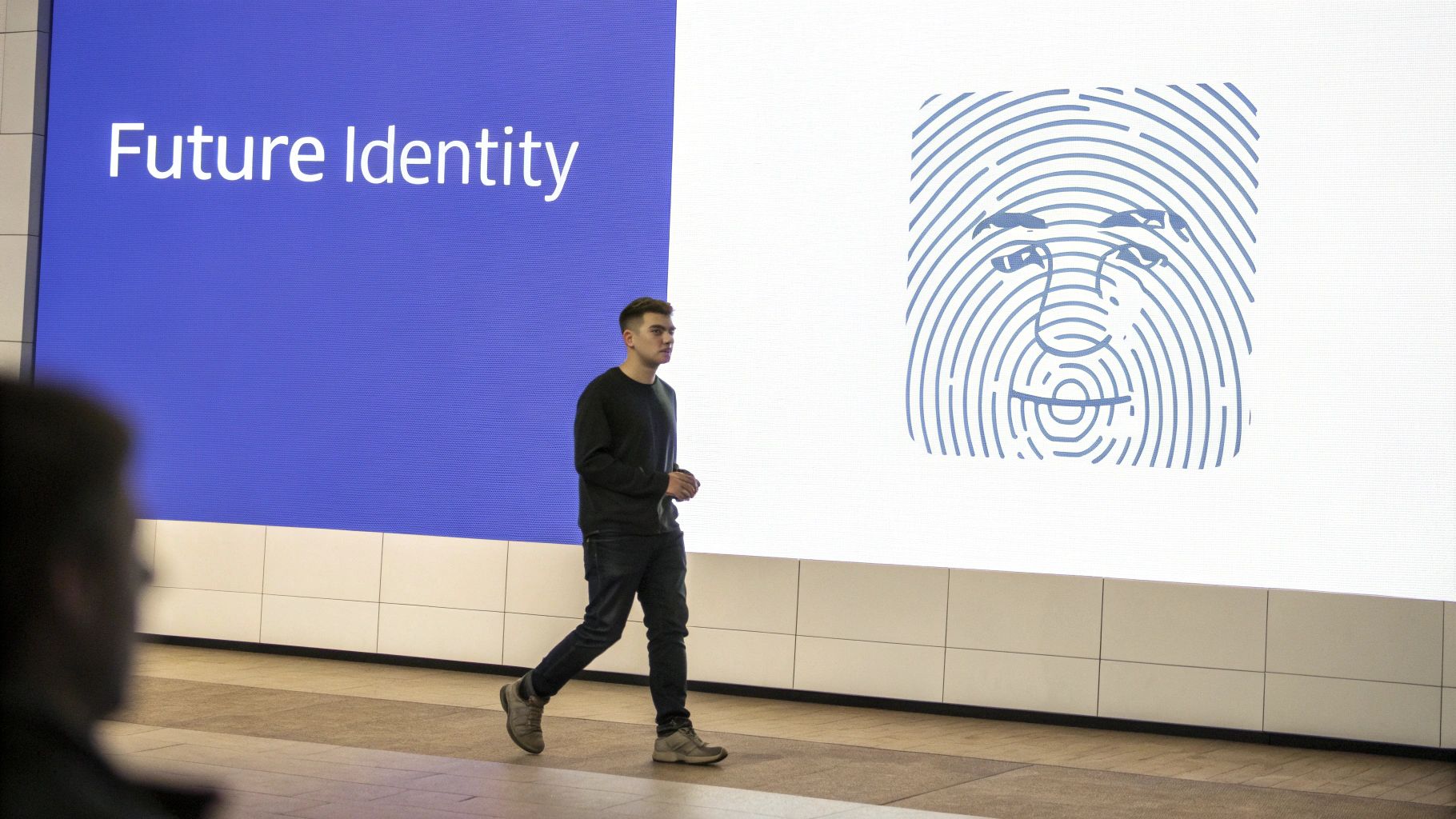
The world of digital identity verification is a constant game of cat-and-mouse. As soon as a security measure is in place, fraudsters are already poking and prodding it for weaknesses. This constant pressure is what drives the next wave of security innovation. Looking ahead, a couple of major trends are poised to completely change how we prove who we are online, making everything more secure and putting you back in control.
The first big shift is the move toward multi-modal biometrics. This isn’t your standard facial scan. Instead, it’s a layered approach that combines several unique biological markers to build a much tougher defense.
Think of a system that doesn’t just analyze your face but also checks it against your fingerprint or the unique pattern of your iris. This approach makes it exponentially harder for bad actors to beat the system, even with sophisticated deepfakes or AI-generated masks. Each biometric marker is like an independent lock, and a fraudster would need the key to every single one to get through.
The Rise of Self-Sovereign Identity
Another game-changing concept picking up steam is Self-Sovereign Identity (SSI). At its heart, SSI is about giving individuals like you complete control over your digital identity. No more having your personal data scattered across dozens of different company databases. You hold it yourself in a secure digital wallet, often protected by blockchain technology.
In many SSI implementations, your verified credentials can even be presented as QR codes that businesses can scan instantly to confirm your identity or specific attributes, streamlining everything from event check-ins to age verification without exposing unnecessary personal details.
With SSI, you get to decide exactly what information you share and with whom.
- Need to prove you’re over 21? You can share just that fact, without handing over your exact birthdate, full name, or address.
- Applying for a loan? You can grant the bank temporary access to specific financial records and then revoke that access the moment the process is done.
This model fundamentally flips the script on data ownership, shifting power from large institutions back to the individual. To get a better sense of the legal frameworks around data handling, it’s often helpful to review a company’s Private Policy.
The landscape of identity verification in 2025 is being reshaped by emerging technologies and user demands for privacy and control. Multi-modal biometric verification is gaining traction to combat deepfakes, while decentralized models like SSI empower individuals to control their own data.
Ultimately, these advancements aren’t just about stopping criminals. They’re about creating a more secure, private, and efficient internet where trust is woven into the fabric of our online interactions. Keeping an eye on these changes is the key to understanding how we’ll all verify identity online in the years to come.
Common Questions About Verifying Your Identity
Even when the steps seem clear, asking you to prove you are who you say you are online can bring up a lot of questions. That’s perfectly natural. It’s a sensitive process, so let’s walk through some of the most common concerns to make things feel more secure and less of a headache.
Why Did My Verification Fail?
More often than not, a failed verification comes down to a few simple, fixable issues. The most common culprit is a bad photo of your ID—it’s blurry, taken in a dimly lit room, or has a nasty glare right over your birthday or expiration date. Even a tiny shadow can throw off the automated systems.
Another frequent problem is a selfie that’s just too dark. Or, sometimes it’s just a simple typo between the information you entered manually and what’s actually printed on your ID.
Pro Tip: Set yourself up for success. Always grab a valid, unexpired ID. Lay it on a flat, dark surface in a room with good lighting and make sure your face is clearly visible and centered when it’s time for the selfie scan.
Is It Safe To Submit My ID and Selfie Online?
This is the big one, and for good reason. The honest answer is: it all comes down to the platform you’re using. Reputable services don’t mess around with your data; they use heavy-duty security measures like end-to-end encryption and follow strict privacy regulations like GDPR. A trustworthy platform will be transparent about its security policies.
Take a service like BlueNotary, for instance. It was built from the ground up with secure protocols designed specifically for handling the kind of sensitive information required for legal documents. While nothing online is ever 100% risk-free, using a trusted, compliant platform is infinitely safer than just emailing a copy of your driver’s license to someone.
Look for platforms that undergo independent security audits including SOC 2 reports, which verify that a company meets rigorous standards for data security, availability, and confidentiality—giving you concrete proof that your information is being handled responsibly.
How Does Liveness Detection Actually Work?
Liveness detection is a pretty clever piece of anti-fraud tech. Its whole job is to make sure you’re a real, live person sitting in front of the camera—not a photo, a creepy deepfake video, or someone holding up a mask. It’s a non-negotiable step in modern identity verification.
The system proves you’re physically present by asking you to perform a few simple, random actions that a static image or a pre-recorded video just can’t fake. You might be asked to:
- Slowly turn your head from one side to the other.
- Blink or smile when prompted.
- Follow a dot on the screen with your eyes.
The system’s AI watches these movements in real time, confirming you have a genuine 3D presence and are reacting naturally. This is a game-changer for shutting down “spoofing” attacks where a fraudster tries to trick the system. It’s the final check that ensures the person holding the ID is the same one completing the verification.
Ready to see how a smooth and secure verification process works for your important documents? BlueNotary combines top-tier identity verification with 24/7 online notarization, making it simple to get your documents legally signed and sealed in minutes. Learn more at https://bluenotary.us.