





Ever needed to get a document notarized but couldn't make it to a notary's office? Online notary services solve that problem completely. Instead of driving across town and waiting in line, you can get your documents notarized from your computer or phone in about 15 minutes.
If you have important documents that need notarization — like a power of attorney, real estate papers, or loan documents — this guide walks you through exactly how online notary services work, what you need to get started, and how to complete the entire process from home.

What Are Online Notary Services?
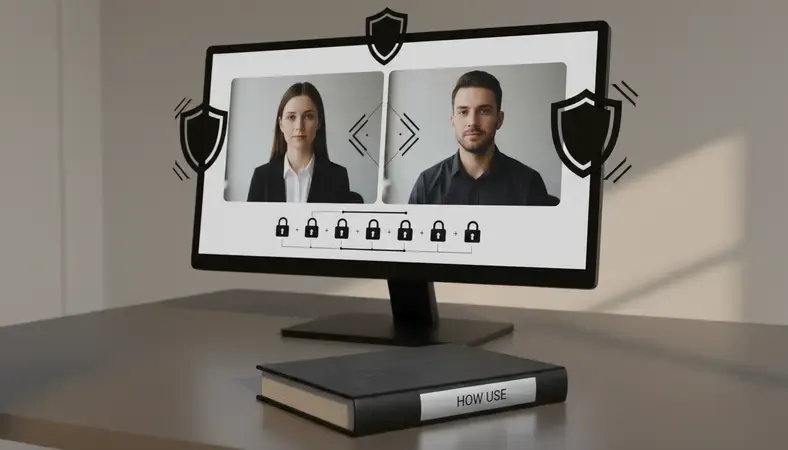
Online notary services, also known as Remote Online Notarization (RON), let you get documents notarized through a live video session with a licensed notary public. Instead of meeting in person, you connect via secure video technology where the notary can verify your identity, witness your signature, and apply their official digital seal.
Think of it as a high-tech version of traditional notarization. The notary still performs the same legal functions — verifying your identity, confirming you're signing willingly, and witnessing the signature — but everything happens through encrypted video technology instead of face-to-face.
Key Insight: Online notarization isn't just convenient — it's often more secure than traditional notarization because every session is recorded and digitally sealed with tamper-evident technology.
The process typically takes 10-20 minutes from start to finish. You upload your document, join a video call with a licensed notary, verify your identity through multiple methods, sign the document electronically, and receive your notarized document immediately.
How Do Online Notary Services Work?
The online notarization process follows a structured sequence designed to meet legal requirements while providing convenience. Here's exactly what happens during each step:
Step-by-Step Process
Document Upload: You upload the document that needs notarization to the platform. The system checks that it's a notarizable document type and properly formatted.
Identity Verification: Before meeting the notary, you complete multi-factor identity verification:
- Take a photo of your government-issued ID
- Answer knowledge-based authentication questions
- Complete biometric verification (facial recognition)
Notary Connection: The system connects you with an available licensed notary via secure video call. The notary can see you, your ID, and the document simultaneously.
Final Identity Check: The notary performs their own identity verification, comparing your live image to your ID and asking additional questions if needed.
Document Review: The notary reviews the document with you, explains what you're signing, and confirms you understand the contents.
Electronic Signing: You electronically sign the document while the notary watches via video. The notary then applies their digital seal and signature.
Session Recording: The entire session is recorded and stored securely for legal compliance. You receive the notarized document immediately.
Technology Behind the Process
Online notary platforms use several technologies working together:
- Public Key Infrastructure (PKI): Creates tamper-evident digital seals that can't be forged
- Biometric Verification: Facial recognition and voice analysis to confirm identity
- Encrypted Video: Bank-level security for all video communications
- Digital Audit Trail: Complete recording of every step for legal compliance
Is Online Notarization Legal and Secure?
Yes, online notarization is legally valid in 45 U.S. states plus the District of Columbia as of 2024. The remaining states are actively working on legislation to allow RON services.
Legal Framework
Online notarization operates under state-specific laws that establish:
- Notary Licensing Requirements: Online notaries must hold valid licenses in their state
- Technology Standards: Platforms must meet specific security and recording requirements
- Interstate Recognition: Documents notarized online in one state are accepted in others
- Audit Trail Requirements: Complete session recordings must be maintained
The legal validity comes from the Uniform Electronic Transactions Act (UETA) and the Electronic Signatures in Global and National Commerce Act (E-SIGN), which give electronic signatures the same legal weight as handwritten ones.
Security Measures
Online notarization actually provides stronger security than traditional notarization through multiple layers:
Identity verification: Traditional notaries rely mainly on visual ID inspection. Online platforms use:
* Government ID analysis with security feature detection
* Knowledge-based authentication from credit and public records
* Biometric facial recognition comparing live video to ID photos
Document security: Digital seals use cryptographic technology that makes tampering immediately detectable. Any alteration after notarization breaks the seal and invalidates the document.
Session recording: Every online notarization is recorded and stored, creating an indisputable record of what happened. Traditional notarizations have no such backup.
What Documents Can Be Notarized Online?
Most documents that require notarization can be handled online, but there are some important exceptions and considerations.
Commonly Notarized Documents Online
- Financial Documents: Loan applications, refinancing papers, investment account forms
- Legal Documents: Powers of attorney, affidavits, sworn statements
- Real Estate: Deeds, mortgage documents, property transfers (varies by state)
- Business Documents: Corporate resolutions, partnership agreements, contracts
- Personal Documents: Wills, healthcare directives, name change forms
Documents That Cannot Be Notarized Online
Certain document types are excluded from online notarization in most states:
- Wills and Trusts: Many states require in-person notarization for estate planning documents
- Adoption Papers: Usually require in-person notarization for legal protection
- Divorce Decrees: Court documents typically need traditional notarization
- Immigration Documents: Federal requirements often mandate in-person notarization
State-Specific Restrictions
Each state maintains its own list of acceptable documents for online notarization. Before starting the process, verify that your document type is allowed in both:
* The state where the notary is licensed
* The state where the document will be used or filed
Online Notary vs Traditional Notary: Key Differences
Understanding the differences helps you choose the right option for your situation.
Comparison of Notarization Methods
| Aspect | Online Notary | Traditional Notary |
|---|---|---|
| Time Required | 10-20 minutes total | 1-3 hours including travel |
| Availability | 24/7 in many cases | Business hours only |
| Identity Verification | Multi-factor authentication | Visual ID inspection |
| Security | Digital seals, session recording | Paper seals, no recording |
| Cost | $25-40 per document | $2-15 per signature |
| Document Delivery | Immediate digital copy | Physical pickup required |
| Legal Validity | Valid in 45+ states | Valid nationwide |
When to Choose Online Notarization
Online notary services work best when you need:
* Speed and Convenience: Document needed quickly without travel time
* Flexible Scheduling: Notarization outside normal business hours
* Geographic Flexibility: You're in a location without nearby notaries
* Enhanced Security: Digital audit trail and tamper-evident seals
* Multiple Signers: Participants in different locations can join the same session
When Traditional Notarization Makes Sense
Choose in-person notarization for:
* Document Types: Wills, trusts, or other documents requiring in-person notarization
* State Requirements: When the document will be used in a state that doesn't accept online notarization
* Technology Comfort: If you prefer face-to-face interaction or have limited tech skills
* Cost Sensitivity: When the lower per-signature cost of traditional notarization matters more than convenience
How Much Do Online Notary Services Cost?
Online notary services typically cost more per document than traditional notarization, but the total cost often works out similarly when you factor in time and travel.
Typical Pricing Structure
Most online notary platforms charge:
* Per Document: $25-40 for standard documents
* Rush Services: $50-75 for immediate notarization
* Multiple Signatures: Additional $5-10 per signature beyond the first
* Complex Documents: $40-60 for documents requiring extra time
Cost Comparison Breakdown
Online notarization total cost:
* Service fee: $25-40
* Time investment: 15-20 minutes
* Travel cost: $0
* Total: $25-40
Traditional notarization total cost:
* Notary fee: $2-15 per signature
* Travel time: 1-2 hours at $25/hour value = $25-50
* Gas/parking: $5-15
* Total: $32-80
Factors Affecting Price
Several elements influence the final cost:
* Document Complexity: Multi-page documents or those requiring explanation cost more
* Urgency: Same-day or immediate service carries premium pricing
* Time of Day: After-hours or weekend notarization may include surcharges
* State Requirements: Some states have maximum fee limits that affect pricing
How to Use Online Notary Services
Getting started with online notarization is straightforward once you know what to expect and have the right preparation.
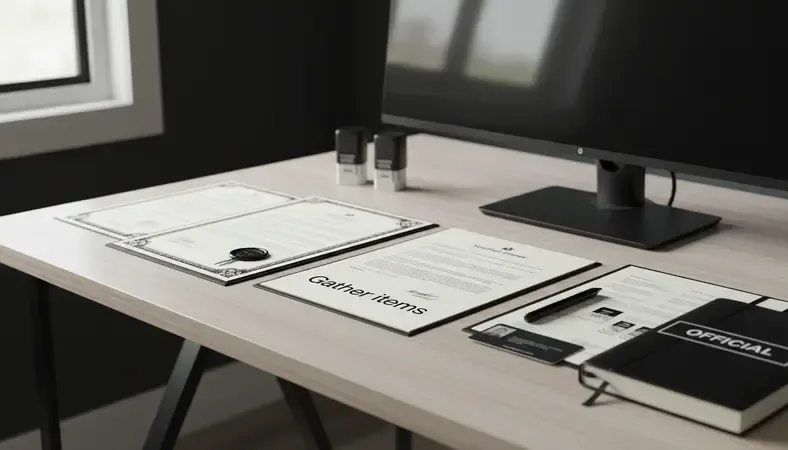
What You'll Need Before Starting
Gather these items before beginning the process:
- Government-Issued Photo ID: Driver's license, passport, or state ID card
- The Document: PDF format, properly prepared and ready to sign
- Stable Internet Connection: Video quality is crucial for identity verification
- Device with Camera and Microphone: Computer, tablet, or smartphone
- Quiet Environment: Background noise can interfere with the session
Step-by-Step Process
Choose a Platform: Select a licensed online notary service that operates in your state. Research their pricing, availability, and user reviews.
Create Your Account: Sign up with basic information and verify your email address. Most platforms require account creation before document upload.
Upload Your Document: Submit the document in PDF format. The system will check formatting and confirm it's notarizable in your state.
Complete Identity Verification: This happens before you meet the notary:
- Photograph your ID with your device camera
- Answer 3-5 knowledge-based questions about your history
- Complete facial recognition by taking a selfie
Schedule or Connect Immediately: Choose between immediate connection (if available) or scheduling for a specific time.
Join the Video Session: Connect with your assigned notary through the platform's video interface. Ensure good lighting and clear audio.
Final Identity Verification: The notary will:
- Compare your live appearance to your ID photo
- Ask additional verification questions
- Confirm you can clearly see and hear them
Document Review and Signing: The notary explains the document, confirms your understanding, and watches you sign electronically.
Receive Your Notarized Document: Download the completed document immediately. Most platforms also email a copy for your records.
Tips for a Smooth Session
Technical preparation:
* Test your camera and microphone beforehand
* Use a well-lit area with your face clearly visible
* Close other applications to ensure stable internet connection
* Have your ID ready and easy to position for the camera
Document preparation:
* Review the document completely before the session
* Prepare any questions about content or signing requirements
* Ensure all required fields are filled out except signatures
* Have any supporting documents readily available
Pro Tip: Most online notarization sessions fail due to poor lighting or unclear ID photos. Position yourself near a window or bright lamp, and make sure your ID is flat and clearly readable before starting.
Common Questions About Online Notary Services
Is online notarization accepted everywhere?
Online notarization is legally valid in 45 U.S. states plus Washington D.C. However, some states have restrictions on specific document types. Always verify that your document type is acceptable for online notarization in both the state where it's notarized and where it will be used.
How long does the process take?
Most online notarization sessions take 10-20 minutes from start to finish. The identity verification process typically takes 5-10 minutes, followed by 5-10 minutes with the notary for document review and signing. Rush services can complete the process in under 10 minutes.
What happens if my identity verification fails?
If automated identity verification fails, most platforms offer alternative verification methods. This might include answering additional knowledge-based questions, providing supplementary identification documents, or speaking with a verification specialist. The process may take longer but doesn't necessarily prevent notarization.
Can multiple people sign the same document online?
Yes, online notary platforms support multiple signers on the same document. Each person must complete their own identity verification and join the video session when it's their turn to sign. This is particularly useful for contracts, business agreements, or real estate transactions involving multiple parties.
How secure are online notarization recordings?
Session recordings are encrypted and stored on secure servers with bank-level security protocols. Most states require recordings to be maintained for 5-10 years. Only authorized personnel can access recordings, typically for legal disputes or compliance audits. The recordings serve as legal evidence of the notarization process.
What if I make a mistake during signing?
If you notice an error before completing the signature, inform the notary immediately. Minor corrections can often be made during the session. For significant errors, you may need to start over with a corrected document. Most platforms don't charge additional fees for mistakes made during the session.
What This Means for You
Online notary services transform document notarization from a time-consuming errand into a quick digital process. Whether you need a power of attorney notarized for elderly parents or business documents signed for a time-sensitive deal, online notarization saves hours while providing stronger security than traditional methods.
Get your documents notarized at BlueNotary — connect with licensed notaries 24/7 and receive your notarized documents in minutes, not hours. Ready to get started? Visit BlueNotary to learn more.