



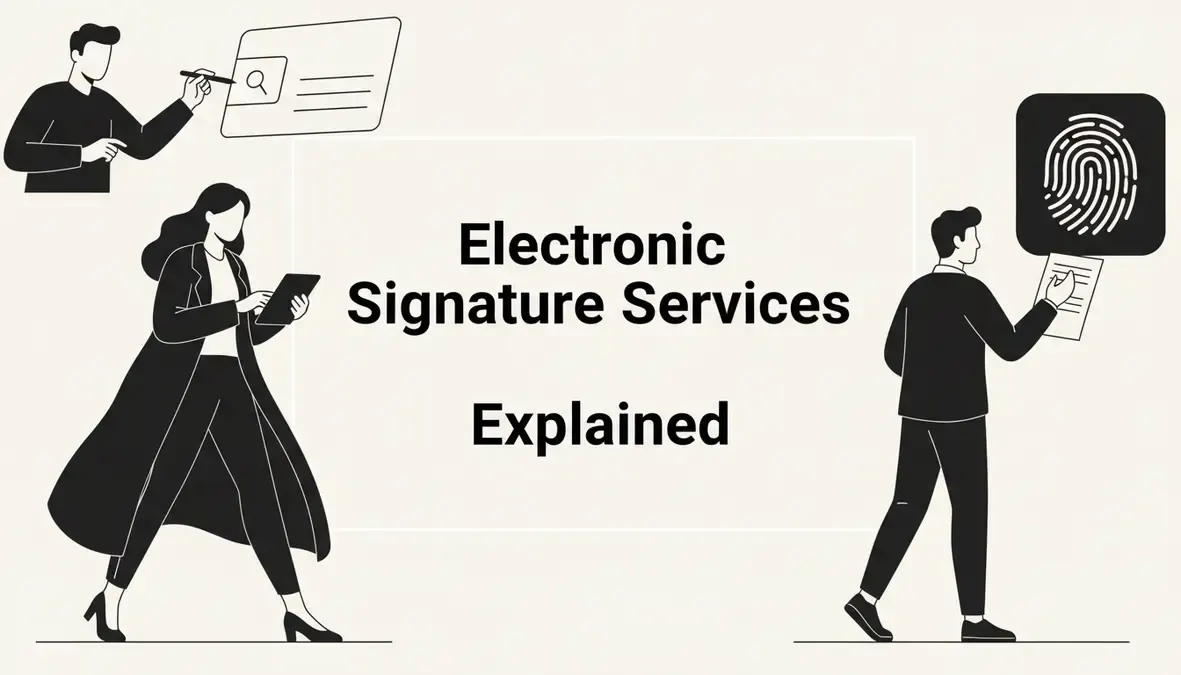

Electronic signature services let you sign documents legally and securely without printing a single page. If you've ever stared at a PDF wondering whether your typed name actually counts as a real signature — the answer is yes, in most cases it does.
This guide breaks down exactly how electronic signature services work, what makes them legally binding, how they differ from digital signatures, and how they connect to remote notarization when your document needs more than just a signature.
What Are Electronic Signature Services?
Electronic signature services are platforms and tools that let people sign documents online — legally, securely, and without being in the same room as anyone else. Instead of printing, signing by hand, and scanning, you sign directly on a device. The service records your intent to sign, timestamps the action, and creates an audit trail.

The legal foundation for electronic signatures in the United States is the Electronic Signatures in Global and National Commerce Act — commonly called the E-SIGN Act — passed in 2000. It established that electronic signatures carry the same legal weight as handwritten ones for most transactions. The Uniform Electronic Transactions Act (UETA), adopted by 49 states, reinforces this at the state level.
Electronic signature services range from simple tools that let you type your name into a box, to sophisticated e signature software platforms with identity verification, document routing, and full audit logs. What they share: they all capture your intent to sign a document electronically, and they all create a record of that act.
What electronic signature services typically include
- Document upload and management: Upload a PDF or Word file, place signature fields, and send it out for signing.
- Signer authentication: Confirm who is signing through email verification, SMS codes, or knowledge-based questions.
- Audit trail: A timestamped log of every action — who opened the document, when they signed, from what IP address.
- Tamper detection: A record showing whether the document was altered after signing.
- Multi-party signing: Route a document to multiple signers in sequence or simultaneously.
Most esign services also offer templates, integrations with tools like Salesforce or Google Drive, and mobile signing support.
How Do Electronic Signatures Work?
The process is simpler than most people expect. Here's what happens when you use electronic signature services to sign a document:
- Document preparation: The sender uploads a document and places signature fields — boxes where each signer needs to sign, initial, or enter a date.
- Invitation to sign: The platform emails the signer a unique link. That link is tied to their email address, which serves as a basic identity check.
- Signing: The signer opens the document through the link, reviews it, and clicks or draws their signature. This can be a typed name, a drawn signature, or an uploaded image of their handwritten signature.
- Capture of intent: The platform records the signer's explicit action — clicking "I agree" or "Sign" — as legal evidence of intent to sign.
- Audit trail generation: The service logs every event: document opened, fields completed, signature applied, timestamp, IP address, device type.
- Sealed document: The signed document is locked and returned to all parties. Any post-signature alteration is flagged.
The whole process can take under two minutes for a simple one-party document.
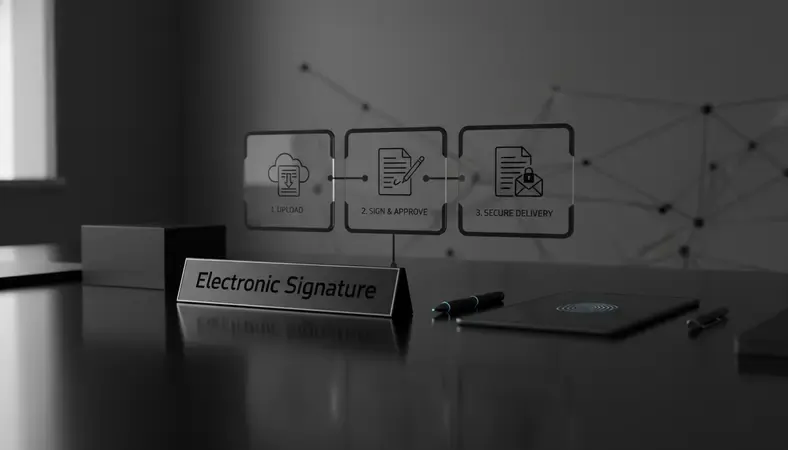
The technology behind the signature
Behind the scenes, most electronic signature software uses cryptographic hashing. When you sign, the platform generates a unique hash — a mathematical fingerprint — of the document at that moment. If anyone changes even a single character after signing, the hash no longer matches, and the tampering is detectable.
This is different from just clicking a button. The hash is embedded in the document's metadata, creating a permanent, verifiable record.
Electronic Signatures vs Digital Signatures: What's the Difference?
This is one of the most common points of confusion. The terms get used interchangeably, but they describe different things.
Comparison of electronic vs digital signatures
| Feature | Electronic Signature | Digital Signature |
|---|---|---|
| Definition | Any electronic indication of intent to sign | A specific cryptographic signature type |
| Technology | Varies (click, type, draw) | Public Key Infrastructure (PKI) |
| Identity verification | Basic (email, SMS) | Certificate-based (issued by a CA) |
| Legal validity | Valid under E-SIGN/UETA | Valid, with stronger technical proof |
| Common use | Contracts, forms, agreements | Financial, government, regulated industries |
| Required for notarization | No | Often yes, for RON platforms |
An electronic signature is the broad category. A digital signature is a specific, more technically rigorous type of electronic signature that uses Public Key Infrastructure (PKI) — a system where a trusted Certificate Authority (CA) issues a digital certificate that proves your identity and cryptographically links it to your signature.
Think of it this way: all digital signatures are electronic signatures, but not all electronic signatures are digital signatures. A typed name in a signature box is an electronic signature. A PKI-backed signature from a CA-issued certificate is a digital signature.
For most everyday contracts — lease agreements, service contracts, HR forms — a standard electronic signature is sufficient. For high-stakes documents in regulated industries, or for remote notarization, digital signatures with stronger identity verification are typically required.
Are Electronic Signatures Legal and Binding?
Yes. Electronic signatures are legally binding across the United States for the vast majority of documents.
The E-SIGN Act of 2000 and UETA together establish that a signature cannot be denied legal effect simply because it's in electronic form. Courts have consistently upheld electronically signed contracts in disputes over employment agreements, real estate transactions, and commercial contracts.
What makes an electronic signature legally valid?
Three elements need to be present:
- Intent to sign: The signer must demonstrate they intended to sign — clicking "I agree" after reviewing the document satisfies this.
- Consent to do business electronically: The signer must have agreed to conduct the transaction electronically, which most platforms capture upfront.
- Association of signature with the record: The platform must link the signature to the document in a way that can be reproduced and verified.
What electronic signature services cannot be used for
Not everything can be signed electronically. The E-SIGN Act explicitly excludes:
- Wills, codicils, and testamentary trusts
- Court orders and official court documents
- Notices of foreclosure, eviction, or utility shutoffs
- Certain adoption and divorce documents
- Documents governed by the Uniform Commercial Code (other than sales contracts)
For these, a handwritten signature — and often notarization — is still required. If your document falls into one of these categories, electronic signature services alone won't be enough.
Electronic Signature Services for Remote Notarization
Some documents need more than a signature. They need a notary public to witness the signing, verify your identity, and apply an official notarial seal. Traditionally, that meant an in-person appointment. Remote Online Notarization (RON) changes that — and it relies directly on electronic signature services to work.
Key Insight: Remote notarization isn't just a video call with a notary. It's a structured legal process that combines electronic signature technology, identity verification, audio-video recording, and a tamper-evident digital seal — all in one session.
In a RON session, you sign the document electronically while connected live to a commissioned notary via video. The notary verifies your identity using credential analysis and knowledge-based authentication (KBA), witnesses your electronic signature in real time, and then applies their own digital signature and official seal to the document.
The result is a notarized document that is legally equivalent to one signed in person — in states that have passed RON legislation. As of 2024, over 40 U.S. states have enacted RON laws, with the remaining states either allowing emergency provisions or actively working toward legislation.
How electronic signature services connect to RON
- The signer's electronic signature is captured during the live video session.
- The notary applies a digital certificate-backed signature and seal.
- The platform creates a tamper-evident, timestamped record of the entire session, including the audio-video recording.
- The final document includes both the signer's electronic signature and the notary's digital signature.
BlueNotary is built specifically for this workflow. The platform handles identity verification, the live notary session, electronic signature capture, and the final sealed document — all in one place. For anyone dealing with documents that require notarization, this matters because the electronic signature and the notarial act happen together, not as separate steps.
Documents like real estate deeds, powers of attorney, affidavits, and loan documents that require notarization are increasingly being handled through RON platforms that integrate electronic signature services directly into the notarization workflow. For more context on specific use cases, our piece on document notarization after car accidents walks through how RON handles time-sensitive legal documents.
Benefits of Using Electronic Signature Services
The practical advantages are significant, and they compound when you're dealing with multi-party documents or time-sensitive agreements.
- Speed: A document that used to take days to route, sign, and return can be completed in minutes. No printing, no mailing, no waiting for someone to be in the office.
- Accessibility: Sign from any device with a browser — phone, tablet, laptop. Location doesn't matter.
- Cost reduction: Eliminating paper, printing, courier services, and physical storage reduces overhead for businesses that handle high document volumes.
- Audit trail: Every electronic signature service creates a verifiable record of who signed, when, and from where. This is often more defensible in a dispute than a handwritten signature with no supporting documentation.
- Security: Tamper detection, encryption, and access controls make electronically signed documents harder to forge or alter than paper ones.
- Environmental impact: Reduced paper use is a real, measurable benefit for organizations processing thousands of documents annually.
For businesses, the ROI on electronic signature software shows up quickly. DocuSign's own research has shown that organizations reduce document turnaround time by an average of 80% after adopting e signature services. For individuals, the benefit is simpler: you don't have to rearrange your schedule to sign a piece of paper.
How to Choose an Electronic Signature Service
The right electronic signature service depends on what you're signing, how often, and whether your documents require notarization.
Questions to ask before choosing
- Do your documents require notarization? If yes, you need a platform that integrates RON capabilities, not just a standalone e signature tool.
- How many signers are typically involved? Simple two-party contracts need less infrastructure than complex multi-party agreements.
- What industries or compliance standards apply? Healthcare documents may need HIPAA-compliant platforms. Financial documents may require specific audit trail standards.
- What integrations do you need? If your team works in Salesforce, HubSpot, or Google Workspace, look for electronic signature software with native integrations.
- What's your signing volume? Low-volume users can often use free tiers. High-volume users need enterprise plans with API access.
Key features to evaluate
- Identity verification strength: Email-only verification is basic. Look for platforms offering SMS codes, KBA, or biometric verification if your documents are high-stakes.
- Audit trail quality: The audit trail should capture IP address, timestamp, device type, and every action taken on the document.
- Tamper evidence: The platform should use cryptographic sealing so any post-signature alteration is detectable.
- Mobile experience: A poor mobile signing experience creates friction. Test it before committing.
- Customer support: For businesses, access to real support matters when a time-sensitive document hits a snag.
For documents that need notarization alongside the signature, a platform like BlueNotary combines both functions — the electronic signature and the notarial act — without requiring separate tools or workflows. You can visit bluenotary.us to see how the RON process works end to end.
Common Questions About Electronic Signature Services
Is an electronic signature the same as typing my name?
Typing your name can be an electronic signature, but the legal validity depends on context. The typed name itself isn't the signature — the platform's capture of your intent, the audit trail, and the association of that action with the document are what make it legally binding. A typed name in an email is generally not considered a valid electronic signature. A typed name captured through a dedicated electronic signing service, with consent confirmation and an audit trail, is.
Can electronic signatures be used for real estate documents?
Many real estate documents can be signed electronically — purchase agreements, disclosures, and listing agreements are commonly handled through electronic signature services. However, deeds, mortgages, and other documents that require notarization still need a notary's involvement. In states with RON laws, those documents can be handled remotely through platforms that combine electronic signature services with online notarization. Pennsylvania, for example, is among the states that have opened doors to e-notarization for real estate transactions.
What happens if someone disputes an electronically signed document?
The audit trail is your defense. Electronic signature services generate a detailed log — timestamps, IP addresses, email verification, device data — that documents every step of the signing process. Courts have consistently treated this as strong evidence of a valid signature. A handwritten signature on a paper document often has less supporting documentation than a properly captured electronic signature.
Are free electronic signature services legally valid?
Yes, if they capture the required elements: intent to sign, consent to electronic transactions, and a verifiable link between the signature and the document. Free tiers of established platforms like DocuSign, HelloSign (now Dropbox Sign), or Adobe Acrobat Sign meet this standard for basic use. The limitation of free tiers is usually volume, features, or audit trail depth — not legal validity.
Do electronic signatures work for international documents?
It depends on the country. The United States, European Union (under eIDAS), Canada (PIPEDA), and Australia all recognize electronic signatures as legally binding. However, the specific requirements vary. The EU's eIDAS regulation, for instance, distinguishes between simple, advanced, and qualified electronic signatures, with different legal weights. For international contracts, confirm the specific requirements of the relevant jurisdiction before relying on a standard electronic signature.
What This Means for You
Electronic signature services have made signing documents faster, cheaper, and more verifiable than paper ever was. When your document also needs notarization, complete the entire process remotely at BlueNotary — identity verification, live notary session, electronic signature, and sealed document, done in one sitting without leaving your desk. Ready to get started? Visit BlueNotary to learn more.