

Last updated: May 2026
E-signature services are digital platforms that enable legally binding electronic signatures on documents without printing, scanning, or in-person meetings. They work by capturing signer intent through typed names, drawn signatures, or clicks, then creating tamper-evident audit trails that include timestamps, IP addresses, and identity verification records. This article explains how e-signature services work, their legal standing under ESIGN and UETA, the difference between e-signatures and digital signatures, and when you need remote online notarization instead.
Written by the BlueNotary team — experienced practitioners in remote online notarization and digital document workflows.

What Are E-Signature Services?
E-signature services are platforms and tools that allow individuals and businesses to sign documents electronically — capturing the signer's intent to agree without requiring a physical signature on paper.
Think of an e-signature as the digital equivalent of your handwritten signature. It could be a typed name, a drawn signature, a clicked checkbox, or even a scanned image of your signature. What makes it legally meaningful isn't the form it takes — it's the intent behind it and the audit trail the platform creates.
The Electronic Signatures in Global and National Commerce Act (ESIGN) and the Uniform Electronic Transactions Act (UETA) form the legal backbone for e-signatures across the United States. Together, they establish that electronic signatures carry the same legal weight as handwritten ones for most documents.
Common uses include:
* Business contracts: Employment agreements, vendor contracts, NDAs
* Real estate: Lease agreements, purchase offers, disclosure forms
* Financial documents: Loan applications, account openings, insurance forms
* Healthcare: Patient consent forms, HIPAA authorizations
* Legal documents: Settlement agreements, powers of attorney
How Do E-Signature Services Work?
The process is simpler than most people expect. Here's what happens when you sign a document through an e-signature platform:
- Document upload: The sender uploads the document and marks where signatures, initials, or dates are needed.
- Invitation sent: The signer receives an email or link directing them to the document.
- Identity confirmation: Depending on the platform and document type, the signer may need to verify their identity — sometimes just by clicking a link, sometimes through more rigorous methods like knowledge-based authentication (KBA).
- Signing: The signer clicks the designated fields and applies their signature — typed, drawn, or uploaded.
- Audit trail created: The platform logs the signer's IP address, timestamp, device information, and any identity verification steps taken.
- Document sealed: Once all parties have signed, the document is locked and a certificate of completion is generated.
The audit trail is the critical piece. It's what makes an e-signature legally defensible. If a signature is ever disputed, the platform's records show exactly who signed, when, and from where.
Popular platforms like Adobe Sign (part of Adobe Acrobat) and DocuSign handle this process end-to-end. Adobe Sign login gives users access to both sending and signing workflows directly within the Adobe ecosystem — useful if your team already works in Adobe Acrobat. Microsoft Word also supports basic e-signature workflows through its integration with Microsoft 365 and third-party add-ins.
E-Signature vs Digital Signature: What's the Difference?
These two terms get used interchangeably, but they're not the same thing.
Comparing E-Signatures and Digital Signatures
| Feature | E-Signature | Digital Signature |
|---|---|---|
| Definition | Electronic indicator of intent to sign | Cryptographic signature using PKI technology |
| Security level | Varies by platform | High — tamper-evident by design |
| Technology used | Platform-dependent | Public Key Infrastructure (PKI) |
| Common use | Everyday contracts, forms | Regulated industries, financial documents |
| Legal standing | Valid under ESIGN/UETA | Valid + additional security assurance |
| Verification method | Audit trail, email confirmation | Certificate-based identity verification |
An e-signature is the broad category — any electronic method of indicating agreement. A digital signature is a specific type of e-signature that uses Public Key Infrastructure (PKI) to cryptographically bind the signer's identity to the document. If someone alters the document after a digital signature is applied, the signature is automatically invalidated.
For most everyday transactions — employment contracts, lease agreements, business proposals — a standard e-signature is sufficient. Digital signatures are more common in regulated industries like healthcare, finance, and government where tamper-evidence requirements are stricter.
Are E-Signatures Legally Binding?
Yes, e-signatures are legally binding in the United States for the vast majority of documents. The ESIGN Act, signed into law in 2000, established federal recognition of electronic signatures. Every U.S. state has also adopted either UETA or equivalent state legislation.
There are exceptions. Some documents still require wet (physical) ink signatures or notarization:
- Wills and codicils (in most states)
- Adoption papers
- Divorce and family court documents
- Court orders
- Certain real estate transfers
- Documents requiring notarization
That last point — notarization — is where e-signature services and remote online notarization (RON) intersect. A standard e-signature platform can't notarize a document. That requires a commissioned notary public who can verify identity and apply an official notarial seal.
Key Insight: An e-signature confirms intent to agree. A notarized e-signature confirms identity — a notary public has verified who you are and witnessed the signing. They're different legal acts, and conflating them is a common and costly mistake.
Benefits of Using E-Signature Services
The practical advantages are real and measurable. Studies from the Association for Intelligent Information Management show that organizations switching from paper-based signing to e-signature services reduce document turnaround times by up to 80%.
- Speed: Documents that once took days to route, sign, and return now close in minutes.
- Cost reduction: Printing, scanning, mailing, and physical storage costs disappear.
- Accessibility: Signers can complete documents from any device, anywhere in the world.
- Compliance: Reputable platforms maintain SOC 2 compliance and detailed audit logs.
- Environmental impact: Fewer printed documents means less paper waste.
- Reduced errors: Guided signing workflows prevent missed signatures or incomplete fields.
For businesses handling high document volumes — real estate agencies, HR departments, financial advisors — the efficiency gains compound quickly. In our work with clients transitioning to e signature services, we've consistently seen the biggest time savings come not from the signing itself but from eliminating the back-and-forth of tracking down incomplete documents. A real estate agent managing 20 active listings no longer needs to chase down wet signatures on disclosure forms. An HR team onboarding 50 new employees in a month can have every offer letter signed before the start date.
E-Signature Services for Remote Notarization
This is where the conversation gets more specific — and more important for anyone dealing with documents that require notarization.
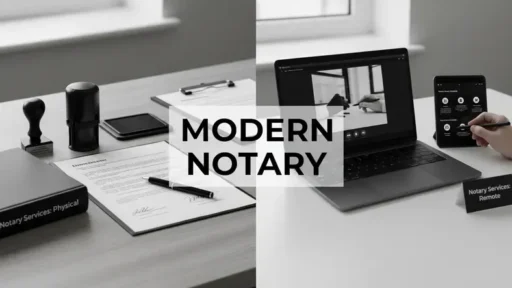
Standard e-signature services handle the signing part. Remote Online Notarization (RON) handles the notarization part. The two are often combined in modern document workflows, but they're distinct services with different legal requirements.
For example, if you're handling document notarization after car accidents — insurance settlements, medical authorizations, affidavits — you need both a signed document and a notarial act. A standard e-signature platform alone won't satisfy that requirement.
RON platforms like BlueNotary combine e-signature capabilities with live video notarization. The signer connects with a commissioned notary via video call, verifies their identity through KBA and credential analysis, signs the document electronically, and the notary applies a digital notarial seal — all in one session.
Pennsylvania opens doors to e-notarization as one of many states that have enacted RON legislation, joining more than 40 states that now permit remote online notarization. This means residents and businesses in those states can complete notarized documents entirely online without visiting a physical notary office.
The key distinction for e-signature services in this context:
- E-signature only: Sufficient for contracts, agreements, forms — no notary required
- E-signature + RON: Required for wills, deeds, powers of attorney, affidavits, and other documents that legally require a notary's certification
How to Choose an E-Signature Service
So, what should you actually be looking for? The right platform depends on your document volume, the types of documents you're signing, and whether notarization is ever in the picture.
Here's what to evaluate:
- Legal compliance: Confirm the platform complies with ESIGN, UETA, and any industry-specific regulations (HIPAA for healthcare, for example).
- Identity verification options: Basic platforms use email confirmation. More secure platforms offer KBA, ID scanning, and biometric verification.
- Integration: Does it work with tools you already use? Adobe Sign integrates with Adobe Acrobat and Microsoft 365. Many platforms also connect with Salesforce, Google Drive, and Dropbox.
- Audit trail quality: Look for detailed logs that include timestamps, IP addresses, and identity verification records.
- Notarization capability: If you ever need notarized documents, look for a platform that includes RON or integrates with a RON provider.
- Pricing model: Some platforms charge per envelope, others by monthly subscription. Match the model to your actual volume.
- Mobile experience: Signers shouldn't need a desktop computer. Test the mobile signing experience before committing.
Our team has reviewed dozens of e-signature platforms over the past three years, and the pattern is clear: businesses that underestimate their notarization needs end up managing two separate systems within six months. For businesses and individuals who occasionally need notarized documents, BlueNotary offers e-signature services within a full RON workflow — meaning you get both capabilities without managing two separate platforms. Visit bluenotary.us to see how the platform handles both signing and notarization in a single session.

Common Questions About E-Signature Services
Can I use any e-signature service for a notarized document?
No — standard e-signature platforms cannot notarize documents. Notarization requires a commissioned notary public to verify your identity and apply an official seal. For notarized documents, you need a Remote Online Notarization (RON) platform where a live notary conducts the session. BlueNotary and similar RON providers combine e-signature functionality with legal notarization in one workflow.
How secure are e-signature services compared to wet signatures?
E-signatures from reputable platforms are typically more secure than wet signatures. A wet signature can be forged with minimal effort. A properly executed e-signature comes with a timestamped audit trail, IP address logging, identity verification records, and a tamper-evident certificate — none of which a handwritten signature provides.
Does Adobe Sign work for all types of documents?
Adobe Sign handles most standard business documents — contracts, NDAs, HR forms, and agreements. It does not provide notarization services. For documents requiring a notary's seal (deeds, affidavits, powers of attorney), you need a RON platform. Adobe Sign integrates with Adobe Acrobat, making it convenient if your team already works in that ecosystem.
Can I sign a document using e-signature services on my phone?
Yes. All major e-signature platforms support mobile signing. You can draw your signature with your finger, type your name, or use a saved signature image. The signing experience on mobile is designed to be as straightforward as the desktop version — typically just a few taps on the designated fields.
Are e-signatures accepted internationally?
E-signatures are accepted in most countries, but the specific laws vary. The EU operates under the eIDAS regulation, which recognizes electronic signatures but has stricter requirements for certain document types. If you're signing cross-border documents, confirm that both jurisdictions recognize the signature method being used. For U.S. documents, ESIGN and UETA provide broad coverage domestically.
The Bottom Line
E-signature services cover most of what individuals and businesses need for routine document signing — fast, legally valid, and far less friction than paper. When your documents require notarization, that's a different step requiring a commissioned notary. Notarize documents remotely with BlueNotary — identity-verified, legally compliant, and completed in minutes without leaving your desk.
Written by the BlueNotary team — Remote Online Notary Services practitioners. Ready to get started? Visit BlueNotary to learn more.