 BlueNotary






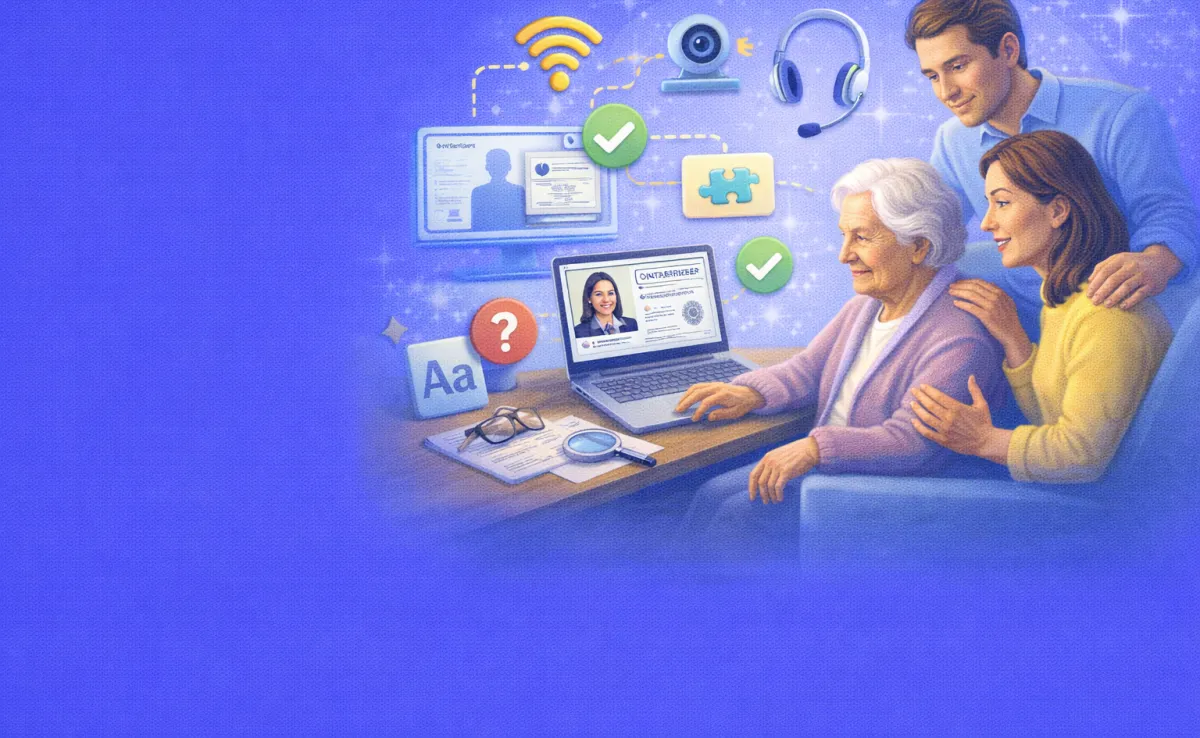

Quick answer: Yes. Seniors can get documents notarized online from home through remote online notarization (RON). They join a live video session with a commissioned notary, verify their ID and sign on screen. Family members can help set up the technology, but the senior must understand the document and sign willingly. Common uses include wills, trusts, healthcare directives and powers of attorney.
Your 82-year-old mother needs to sign a power of attorney. She lives alone, does not drive, and the nearest notary office is 20 minutes away. Her mobility is limited. Her energy fades by early afternoon. And the document cannot wait much longer.
This situation plays out in families across the country every day. Seniors need documents notarized for wills, trusts, healthcare directives, real estate transactions, and financial planning. Traditional in-person notarization often means arranging transportation, dealing with physical discomfort, and working around limited energy windows. For seniors in assisted living, hospitals, or rural areas, the challenge multiplies.
Remote online notarization (RON) offers a real solution. It lets your loved one get documents notarized from their own home, hospital bed, or care facility — using a computer, tablet, or smartphone with a camera and internet connection. A commissioned notary joins through a live video call, verifies identity, witnesses the signing, and applies a digital seal. The entire process typically takes under 15 minutes.
More than 45 states now allow RON. The technology works. Millions of notarizations have happened this way. But for families helping an older adult through the process for the first time, questions come up fast. What equipment does Mom need? Can Dad handle the technology? What if Grandma has memory issues? Can a family member sit nearby and help?
This guide answers all of those questions. It walks you through the technology setup, explains what happens during the session, covers how family members can assist without crossing legal lines, addresses mental capacity concerns with honesty, and highlights the accessibility features that make RON work for older adults.
Why Online Notarization Works Well for Seniors
Online notarization was not built specifically for seniors. But many of its core features solve problems that older adults face more than anyone else.
No Travel Required
The biggest advantage is the most obvious one. Your loved one does not need to leave home. No car rides, waiting rooms. No navigating parking lots or office buildings. For seniors with mobility challenges, chronic pain, or fatigue, this alone can make the difference between getting a critical document signed and putting it off indefinitely.
Flexible Scheduling
Many RON platforms offer 24/7 availability. Sessions can happen at 9 AM when your father is sharpest, or at 7 PM when the family is available to help with setup. There is no need to coordinate with a notary’s office hours or travel schedule.
Recorded Sessions for Protection
Every RON session includes an audio-visual recording. This recording creates a permanent record of the signing. It captures the signer’s demeanor, responses to questions, and interactions with the notary. If anyone later questions whether your loved one understood what they signed or acted voluntarily, the recording provides evidence that a traditional in-person notarization cannot match.
Built-In Identity Verification
RON platforms verify the signer’s identity through multiple steps — government-issued ID analysis, knowledge-based authentication questions, and live facial comparison. These automated checks, combined with the notary’s own assessment, provide strong protection against fraud and impersonation. For seniors who may be vulnerable to elder abuse or undue influence, these safeguards add meaningful security.
Setting Up the Technology: A Step-by-Step Walkthrough
Technology is the biggest hurdle for many older adults. A 2024 AARP survey found that nearly two-thirds of adults over 50 say technology enriches their lives. But there is a gap between appreciating technology and feeling confident using it. Your role as a family helper is to bridge that gap before the notarization session begins.
What Your Loved One Needs
The requirements are straightforward. You need a device with a camera and microphone — a laptop, tablet, or smartphone. You need a stable internet connection. And you need a valid government-issued photo ID, such as a driver’s license, state ID card, or U.S. passport.
Most RON platforms work through a web browser. No special software download is usually required. The signer clicks a link, and the session opens in the browser.
Choosing the Right Device
A laptop or tablet with a larger screen generally works best for seniors. The bigger display makes it easier to read documents, see the notary, and follow on-screen instructions. Smartphones work too, but the smaller screen can cause frustration, especially if your loved one needs to review document text during the session.
If your loved one uses a tablet, prop it up on a stand or lean it against something stable. Holding a tablet during a notarization session creates shaky video and tired arms.
Adjusting Accessibility Settings Before the Session
Spend 10 minutes adjusting the device settings before session day. These small changes make a big difference.
Increase the text size in the device’s display settings. Most devices let you scale text up to 150% or more without breaking the layout. Turn up the screen brightness so the display is easy to read in their typical lighting. Increase the volume to a comfortable level for the video call. Turn on closed captions if the device or browser supports them. If your loved one uses hearing aids with Bluetooth, pair them with the device beforehand. If they use reading glasses, have them nearby.
Running a Practice Session
Do not wait until the actual notarization to test the technology. A day or two before, run a practice video call with your loved one using FaceTime, Zoom, or Google Meet. This familiarizes them with looking at the camera, speaking clearly, and seeing themselves on screen.
During the practice call, check that the camera shows their face clearly and the room is well-lit. Make sure the microphone picks up their voice without them needing to shout. Test the internet connection — if the video freezes or stutters, consider moving the device closer to the Wi-Fi router or using a wired ethernet connection if available.
Writing Down Simple Instructions
Write a short set of printed instructions in large, clear text and leave them next to the device. Something like: “Click the blue link in your email. Look at the camera. The notary will guide you through everything.” Keep it to three or four steps. Too many instructions create anxiety rather than confidence.
What Happens During the Session
Knowing what to expect removes fear. Walk your loved one through these steps before the session so nothing catches them off guard.
Connecting to the Platform
The process starts when the signer clicks a link sent by the RON platform — usually through email or text message. This opens a browser window where the session takes place.
Identity Verification
The platform asks the signer to upload or photograph their government-issued ID. The system runs automated checks on the ID — confirming it matches the signer’s face, checking for signs of tampering, and verifying the document’s validity.
Next comes knowledge-based authentication (KBA). The system asks the signer a series of personal questions drawn from public and private databases. These might include questions about past addresses, vehicle registrations, or financial history. The questions have multiple-choice answers, and the signer typically gets about two minutes per question.
KBA can feel intimidating for seniors who worry about “getting it wrong.” Reassure your loved one that these questions are about their own life history, not a test of memory. If they lived at a certain address 15 years ago, they will likely recognize it among the options. If they struggle, most platforms allow a second attempt.
The Live Video Call With the Notary
Once identity is verified, the signer connects with a live notary through video. The notary introduces themselves, confirms the signer’s identity visually, and explains the process.
The notary will ask the signer to confirm they understand the document, that they are signing voluntarily, and that nobody is pressuring them. These questions are required by law. The notary watches for signs of confusion, hesitation, or distress. This human assessment is a core protection built into every notarization.
The signer then signs the document electronically — usually by typing their name, drawing a signature with a mouse or finger, or clicking a “sign here” button. The notary applies their digital seal, and the session ends.
Receiving the Completed Document
After the session, the signer (and often the family member or attorney who arranged it) receives the completed, notarized document electronically. Most platforms provide a downloadable PDF with tamper-evident digital signatures. Some also mail a physical copy if requested.
How Family Members Can Help (and Where the Line Is)
Families naturally want to support their older loved ones through this process. That instinct is good. But notarization law draws clear lines about what a helper can and cannot do during the session.
What You Can Do
You can help with every step of the technology setup. You can test the device, adjust settings, connect to the internet, and open the session link. Sit nearby to provide moral support and answer technology questions.
Before the session, you can help your loved one review the document with their attorney. You can explain in plain language what the document does. You can make sure they have their ID ready and that they feel comfortable and alert.
What You Cannot Do
You cannot answer questions for your loved one during the session. The notary needs to hear directly from the signer. If a family member starts speaking for the senior, the notary may pause or stop the session.
You cannot pressure or coach your loved one to sign. The notary watches specifically for signs of undue influence. If it appears that someone is directing the signer’s decisions, the notary has a duty to refuse the notarization.
You cannot sign on your loved one’s behalf unless you hold a valid, existing power of attorney that specifically grants you that authority — and the notary would need to verify that document as part of the session.
Staying in the Room vs. Stepping Out
Some notaries prefer that family members step out of camera view during the signing portion. This is not a personal slight. It protects your loved one by ensuring the notary can independently confirm the signer acts voluntarily and without pressure.
Other notaries are comfortable with a family member sitting quietly nearby, as long as they do not participate in the conversation. Ask the RON platform or notary in advance about their preference so there are no surprises during the session.
Understanding Mental Capacity: An Honest Conversation
Mental capacity is the topic families find hardest to discuss. But it sits at the heart of every valid notarization. Avoiding it does not make it go away — it just creates risk.
What Mental Capacity Means Legally
For a notarization to be valid, the signer must understand the nature of the document, understand its consequences, and sign voluntarily. That is the standard. A dementia diagnosis alone does not disqualify someone from signing legal documents. Many people in early-stage cognitive decline still meet the legal standard for capacity.
The standard also varies by document type. Simpler documents like basic wills require a lower capacity threshold. The signer needs to understand what they own, who their family members are, and what the will does. More complex documents like contracts or trust agreements require a higher level of understanding — the signer must grasp finer details and implications.
How the Notary Assesses Capacity
Notaries are not doctors. They do not perform medical evaluations. But they do assess whether the signer appears aware, responsive, and understanding during the session.
The notary may ask simple questions. “Do you know what this document is?” “Can you tell me what it does?” “Is anyone making you sign this?” If the signer answers clearly and consistently, the notary proceeds. If the signer appears confused, cannot articulate the document’s purpose, or seems coached by someone else, the notary will pause or refuse the notarization.
The Notary Public Association advises notaries to watch for specific signs: confusion or disorientation, family members speaking on the signer’s behalf, memory loss, hesitancy, fearfulness, or apparent pressure from others present. If any of these signs appear, the notary should not proceed.
Timing the Session for Clarity
Many seniors with cognitive challenges function better at certain times of day. If your loved one is sharpest in the morning, schedule the session for mid-morning. Avoid late afternoon or evening when fatigue and “sundowning” (increased confusion later in the day) can affect alertness.
Make sure they are rested, hydrated, fed, and not in pain before the session begins. A comfortable, familiar environment helps too. Their own living room or bedroom is usually better than an unfamiliar office or facility.
When Capacity Is Uncertain
If you have genuine doubts about whether your loved one can meet the legal capacity standard, consult an elder law attorney before scheduling the notarization. An attorney can evaluate the situation, recommend a capacity assessment if needed, and guide you on the best path forward.
Acting early matters enormously. The best time to get critical documents like powers of attorney and healthcare directives in place is while capacity is still clear. Waiting until a crisis hits often means capacity has already declined past the legal threshold. This creates much harder and more expensive legal problems for the family.
Accessibility Features That Make RON Work for Older Adults
RON platforms and modern devices include several features that help seniors participate fully in the notarization process.
Large Text and Zoom Controls
Most RON platforms let the signer zoom into the document during review. Pinch-to-zoom on tablets and Ctrl+scroll on laptops enlarge the text. Some platforms also offer a dedicated zoom tool within the signing interface.
Audio and Hearing Support
Seniors with hearing loss can turn up the volume, use Bluetooth-connected hearing aids, or enable closed captions on the video call. If the platform does not support captions natively, a family member can relay instructions before and after (but not during) the signing portion.
Physical Signing Alternatives
Not every senior can hold a pen or draw a precise signature on a screen. Most RON platforms accept typed signatures or a simple click-to-sign option. For seniors with severe physical limitations, some states allow signing with a mark (an “X”) with witnesses present. Others permit a directed signature, where the signer tells another person to sign on their behalf in the notary’s presence.
Check your state’s rules on signature alternatives before the session. The notary can also guide you on what methods are acceptable.
Simplified Interfaces
Some platforms offer streamlined interfaces that reduce visual clutter. Fewer buttons, clearer labels, and step-by-step guided workflows help seniors stay oriented throughout the process. When choosing a RON platform, look for one that prioritizes user experience for non-technical users.
Protecting Against Elder Abuse
Online notarization includes safeguards that protect vulnerable seniors from exploitation. Families should understand these protections and support them.
The Notary as Independent Witness
The notary’s core role is to serve as an impartial witness. They verify the signer’s identity, confirm understanding, and assess voluntariness. If a family member, caregiver, or anyone else appears to control the process, the notary should stop the session. This protection exists for your loved one’s benefit, even if it sometimes feels inconvenient in the moment.
The Recorded Session
The audio-visual recording of every RON session creates a tamper-proof record. If a dispute arises months or years later about whether the signer understood the document or was coerced, the recording provides clear evidence. This level of documentation is stronger than what most traditional in-person notarizations offer.
Knowledge-Based Authentication
The KBA questions are personal to the signer. A fraudster or abusive family member cannot easily answer questions about the signer’s address history, past vehicles, or financial records. This layer of verification helps ensure the right person is actually signing.
What to Do If You Suspect Abuse
If you believe an older family member was pressured or coerced into signing a notarized document, you have options. Contact Adult Protective Services in your state to report suspected elder abuse. Reach out to the local police if the situation involves theft, forgery, or financial exploitation. Contact an elder law attorney to explore legal remedies, including potentially invalidating the notarized document. The National Elder Fraud Hotline (833-FRAUD-11) also connects callers with case managers who can assist.
Common Documents Seniors Need Notarized
Understanding which documents commonly require notarization helps families plan ahead and avoid last-minute scrambles.
Power of Attorney
This document grants authority to a trusted person (called an agent) to make financial or healthcare decisions on the senior’s behalf. It is arguably the most important document to get in place early. Once capacity declines past the legal threshold, it becomes too late to create a power of attorney — the family must then seek court-appointed guardianship, which is far more expensive and time-consuming.
Healthcare Directives and Living Wills
These documents specify the senior’s wishes for medical care if they cannot communicate. Notarization adds a layer of validation and reduces the chance of disputes among family members.
Wills and Trusts
While not every state requires wills to be notarized, adding a notarized self-proving affidavit can simplify probate and reduce challenges to the will’s validity. Trusts typically require notarization for the transfer documents associated with them.
Real Estate Documents
Deeds, mortgage documents, and property transfers almost always require notarization. For seniors selling a home, refinancing, or transferring property to family members, RON makes this process possible without an office visit.
What No Other Guide Covers: The Preparation Window
Most guides about online notarization for seniors focus on what happens during the session. Very few talk about the preparation window — the days and weeks before the session where the real work happens.
Why the Window Matters
The preparation window is when families can make or break the experience. A senior who goes into a notarization session without preparation may feel overwhelmed, anxious, or confused. One who has been gently prepared over several days often sails through it.
How to Use the Preparation Window
Start by explaining the process in plain language. “You are going to sign an important document on the computer. A notary — that is an official who makes sure the signing is done right — will be on a video call with you. They will ask you a few questions about yourself and about the document. Then you will sign, and you are done.”
Next, do a technology practice session as described above. Let your loved one see themselves on camera and hear how the audio sounds. Remove the unfamiliarity before the stakes are real.
Then review the document together, with the attorney if possible. Explain what it does in one or two simple sentences. Make sure your loved one can articulate the purpose back to you. This is not about coaching them for the notary’s questions. It is about genuine understanding.
Finally, choose the best time of day, set up the physical space with good lighting and comfortable seating, and have their ID within reach. Handle every possible friction point before the session so that all your loved one needs to do is show up and sign.
What Happens When Families Skip the Window
When families skip preparation, small problems spiral. The senior cannot find the link. The camera is not working. The room is dark. They forgot their ID. They feel surprised and anxious when the notary starts asking questions. The KBA questions feel like a test, and they freeze. The notary, picking up on the confusion, may pause or refuse the notarization — and now the whole process needs to start over.
A little preparation prevents all of this. Fifteen minutes of setup work saves hours of frustration.
Frequently Asked Questions
What equipment does my elderly parent need for online notarization?
A device with a camera and microphone (laptop, tablet, or smartphone), a stable internet connection, and a valid government-issued photo ID. No special software is usually needed — most platforms run through a web browser. A laptop or tablet with a larger screen tends to work best for seniors who need to read documents on screen.
Can a family member sit with the senior during the online notarization?
You can help with technology setup and sit nearby for moral support. However, you should not answer questions for the signer or participate in the conversation with the notary. Some notaries prefer family members to step out of camera view during the signing portion to confirm the signer acts independently. Check with the platform in advance.
Can someone with dementia use online notarization?
A dementia diagnosis does not automatically prevent someone from signing legal documents. What matters is whether the person has sufficient mental capacity at the time of signing — meaning they understand the document, its purpose, and its consequences. Early-stage dementia often allows this. If you are unsure, consult an elder law attorney before scheduling the session.
What if my parent cannot physically sign on a screen?
Most RON platforms accept typed signatures or click-to-sign options. Some states also allow signing with a mark (an “X”) with witnesses present, or directing another person to sign on the signer’s behalf. Check your state’s laws and ask the notary about acceptable alternatives before the session.
What happens if the notary thinks my parent does not understand the document?
The notary has a legal duty to refuse the notarization if the signer appears confused, unaware, or pressured. This protects your parent. If the notary refuses, it does not mean the document can never be signed. It means the family should consult with an attorney, potentially arrange a capacity evaluation, and try again at a time when the signer is more alert and prepared.
Is online notarization as legally valid as in-person notarization?
Yes. In the 45+ states that allow RON, a properly completed online notarization carries the same legal weight as a traditional in-person notarization. The digital signatures, tamper-evident seals, and recorded sessions often provide even stronger evidence of validity than paper-based notarizations.
How much does online notarization cost for seniors?
Costs typically range from $25 to $50 per session on most platforms. Some charge per document rather than per session. This is often comparable to or less than what a mobile notary charges, especially when you factor in the travel fees that mobile notaries add for home visits.
What is the best time of day to schedule a session for an elderly signer?
Schedule during the time when your loved one is most alert and comfortable. For many seniors, this means mid-morning. Avoid late afternoon or evening, when fatigue and cognitive fluctuations are more common. Make sure they are rested, fed, and not in pain before the session begins.
Conclusion:
Getting a document notarized should not be the hardest part of planning for a parent’s future. Online notarization removes the physical barriers that make traditional notarization so difficult for older adults. It brings the notary to your loved one instead of the other way around. It adds security layers that protect against fraud and abuse. And it creates a permanent record that can settle disputes long after the signing.
Your role as a family member is to make the process as smooth as possible. Set up the technology. Run a practice session. Adjust the accessibility settings. Explain what will happen in simple terms. Choose the right time of day. Handle the logistics so your loved one can focus on the one thing that matters — making their wishes legally clear.
For a RON platform designed with simplicity, strong identity verification, and built-in accessibility for all users, BlueNotary provides remote online notarization tools that make the process straightforward for seniors and the families who help them.